
Car Radio Cable CANBus Decoder SPDIF Audio Amplifier Adapter Power Wiring Connector Harness Socket for KIA Hyundai Sonata 9
Only Cable / China Mainland
€61,83 EUR
Цена при разпродажба
€61,83 EUR
Обичайна цена
€105,36 EUR
Прескочи към информацията за продукта









Car Radio Cable CANBus Decoder SPDIF Audio Amplifier Adapter Power Wiring Connector Harness Socket for KIA Hyundai Sonata 9
€61,83 EUR
Цена при разпродажба
€61,83 EUR
Обичайна цена
€105,36 EUR
SPECIFICATIONS
Applicable Models: for KIA Hyundai Sonata 9
Brand Name: Upindo
Color: Black
High-concerned chemical: None
IS It With PCB: Yes
Item Type: Cables, Adapters & Sockets
Item Weight: 154
Material: Brass
Model Name: C-HY-24
Origin: Mainland China
Special Features: CAN bus to UART
Voltage: 12 V
Product Description
-> Car Android Head Unit Cable Harness with CAN Bus adapter,which connects the Android Head unit to the car cable Harness.
-> Using this cable adapter will not damage the car cable, no need to cut any wires.
-> Standard connection to car cable Harness provides consistent and simplified installation.
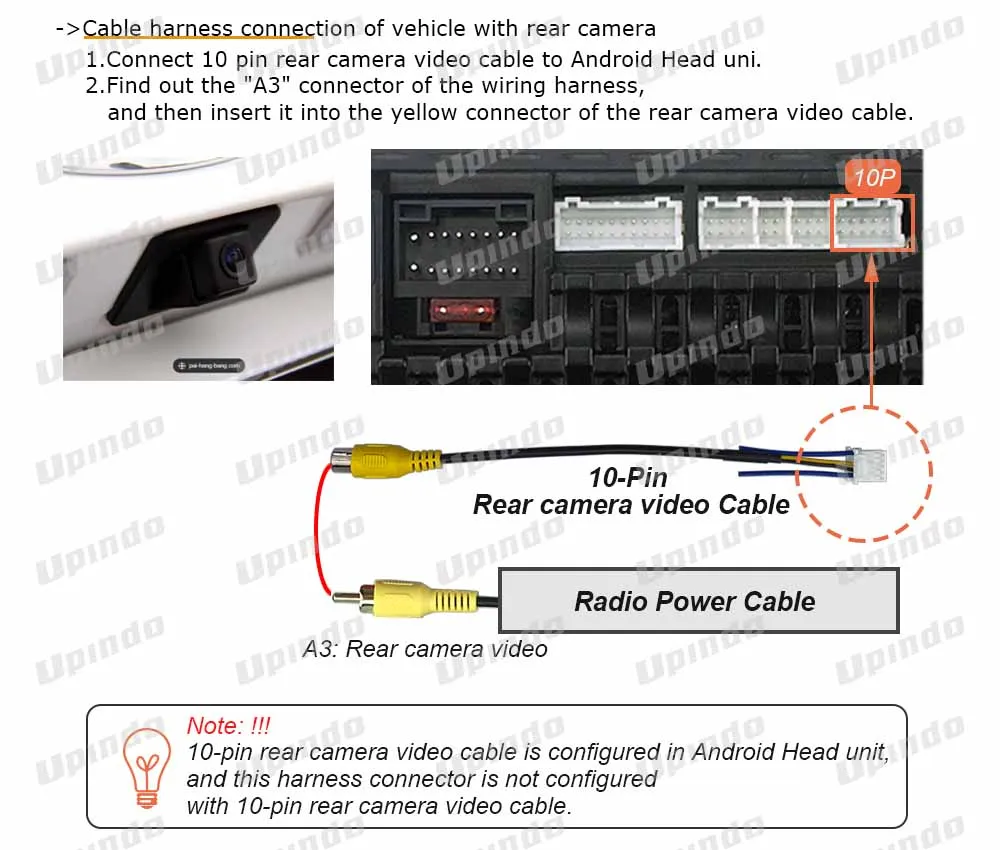
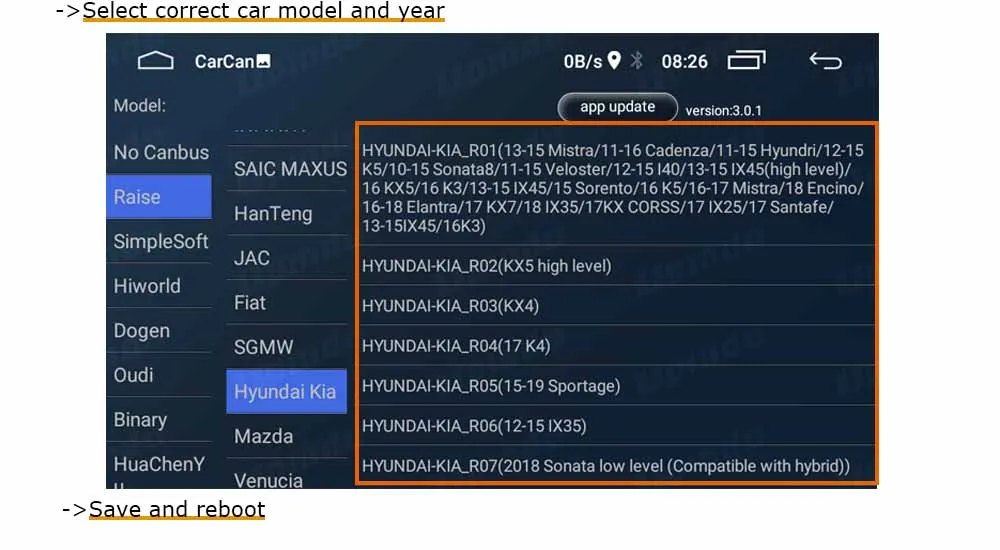
-> This product will provide the car's ACC, reverse gear, parking, lights,steering wheel buttons,SDPIF audio power amplifier control and other control signals to the Android Head unit.
-> More functions depend on the CAN Bus interface of the original car radio.
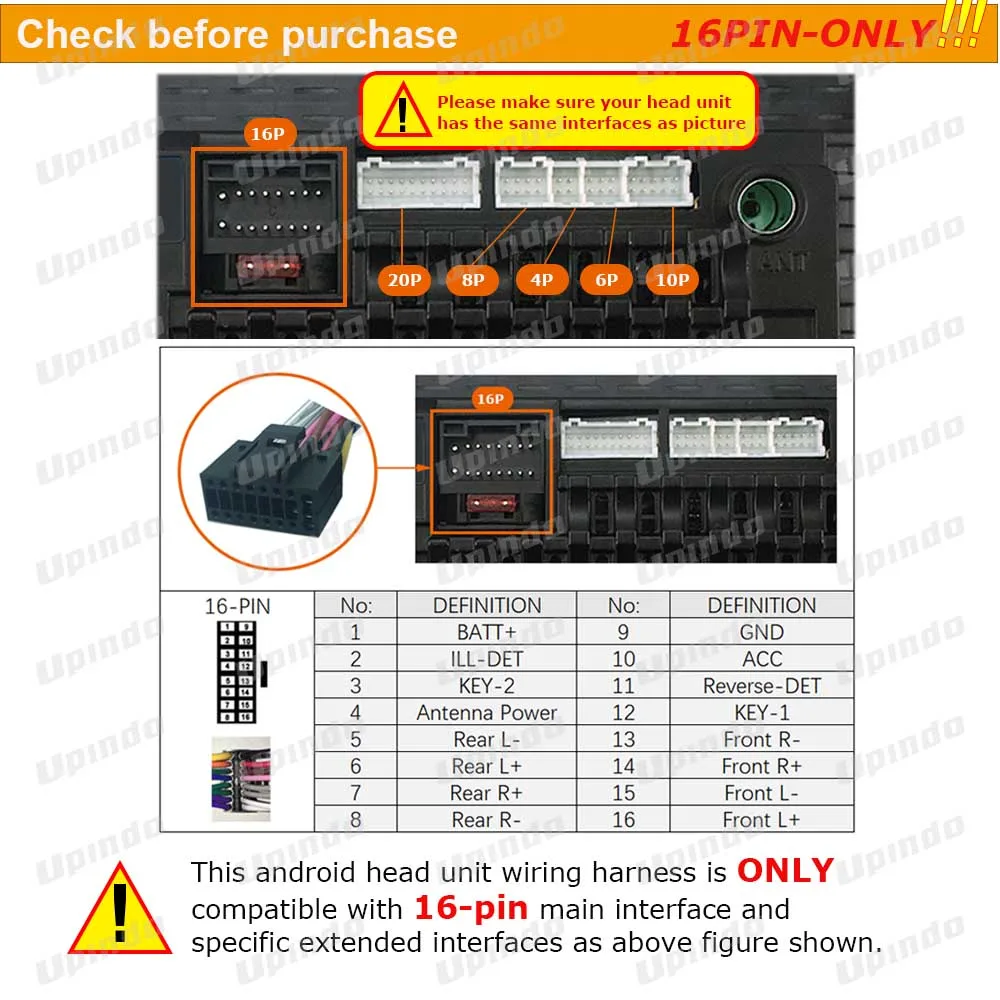
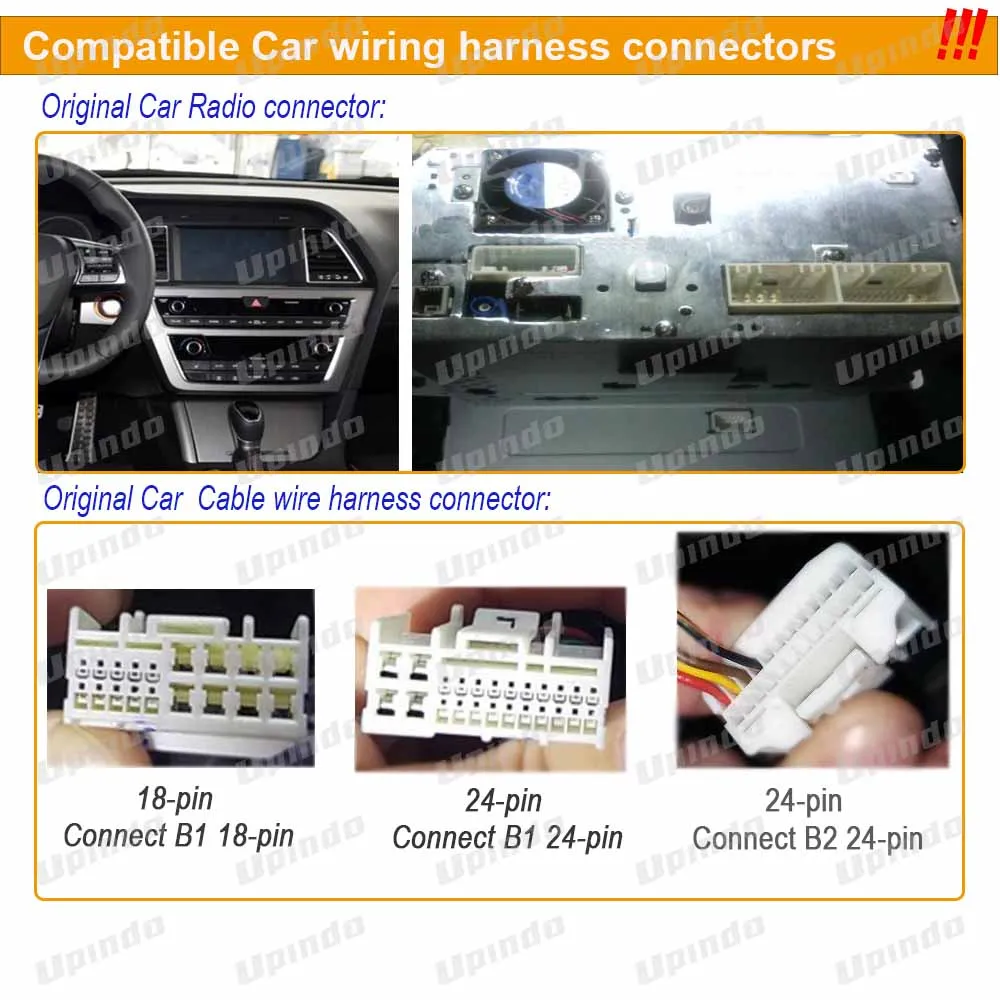
-> Before buying, please check the car cable plug and the socket on the back of the old radio, and check the plug picture we provide to confirm whether the plug of our harness is suitable .
-> If you are unsure fitting, please contact with us for support BEFORE purchase.
Compatible Android Head Unit
-> This product can be adapted to 7,8,9,10 inch Android Head unit.
-> This android stereo wiring harness is ONLY compatible with 16-pin main interface and specific extended interfaces.
Compatibility with cars
-> For Hyundai Sonata9 2015+;
** Reminder:
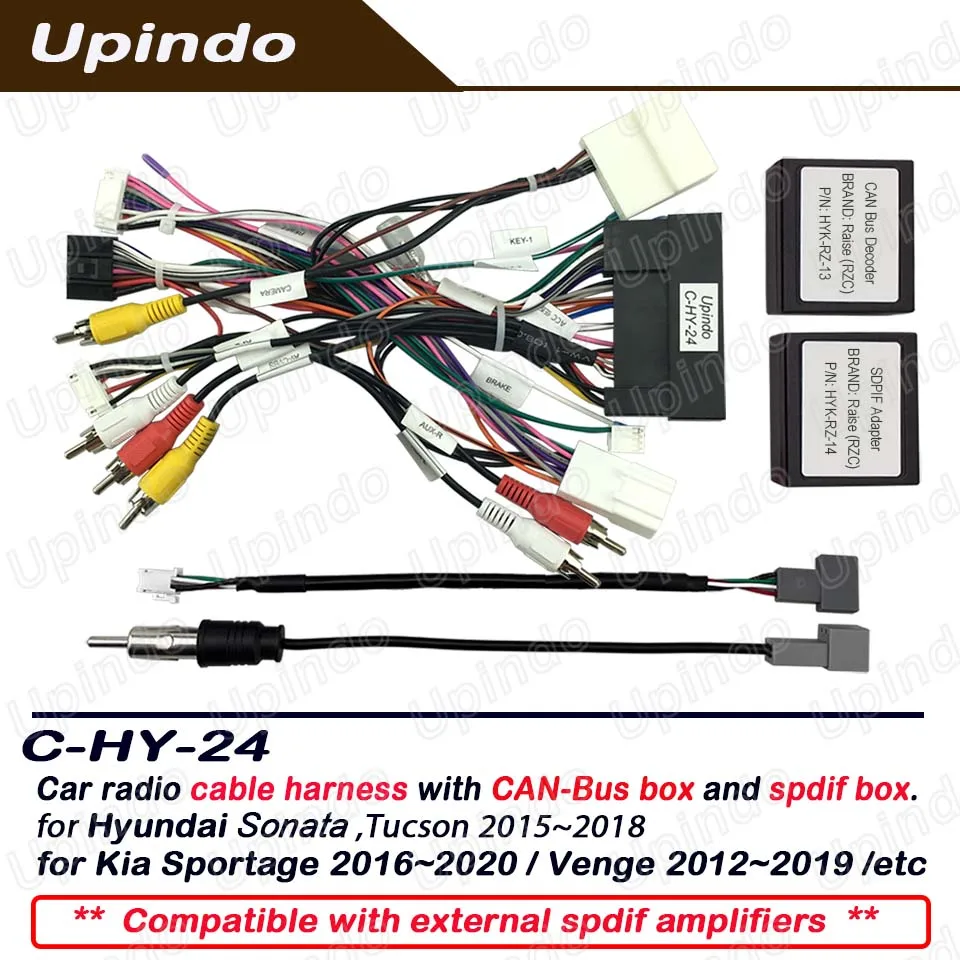
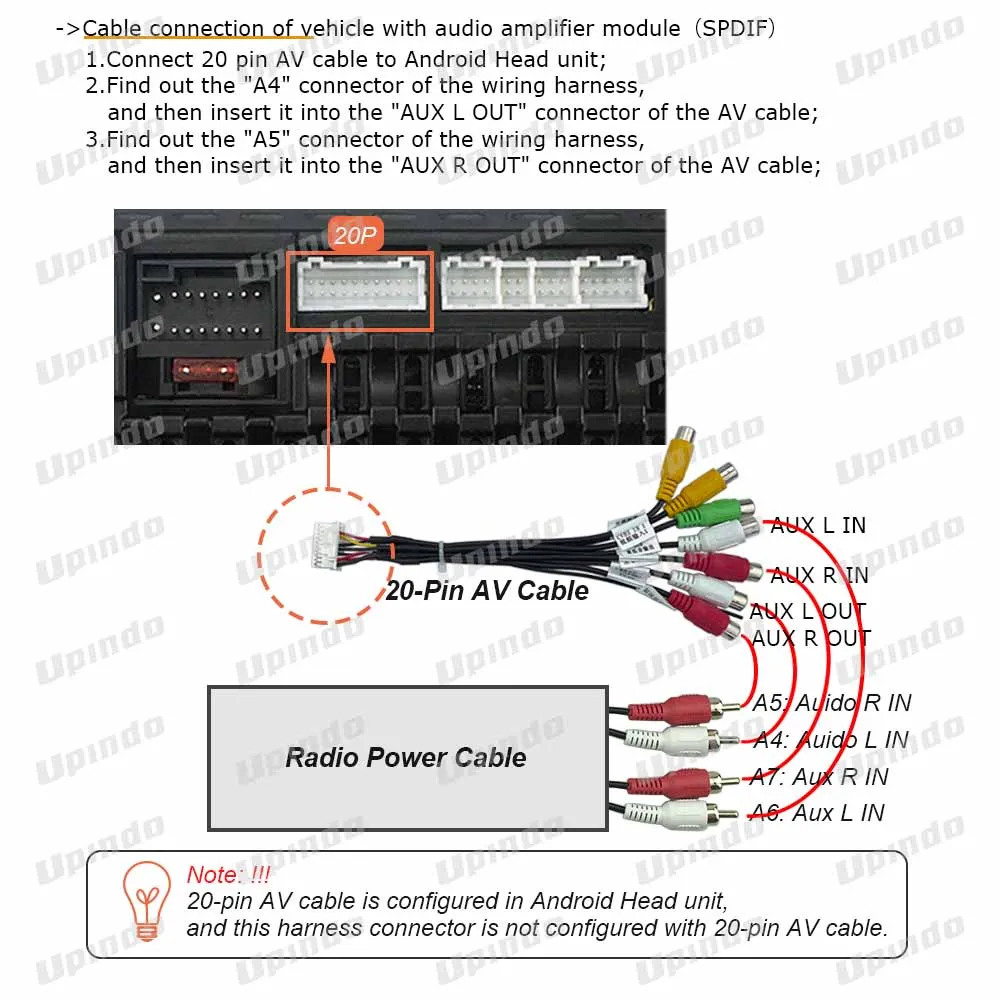
-> If the vehicle is equipped with SPDIF audio power amplifier module, please select "C-HY-24";
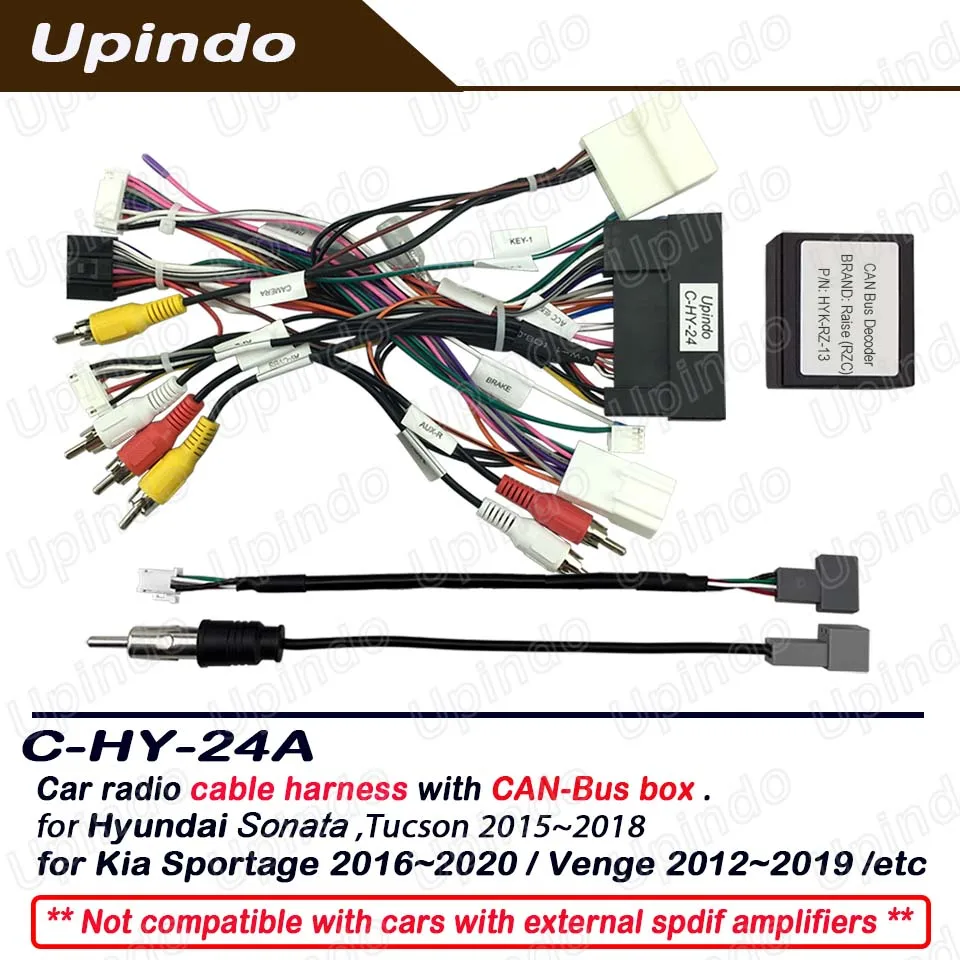
-> If the vehicle is not equipped with SPDIF audio power amplifier module, please select "C-HY-24A";
-> Due to regional differences, the above compatibility is for reference only. You need to confirm whether the car Wire harness plug matches our Wire harness socket before purchasing.
Product Details
Packing list:
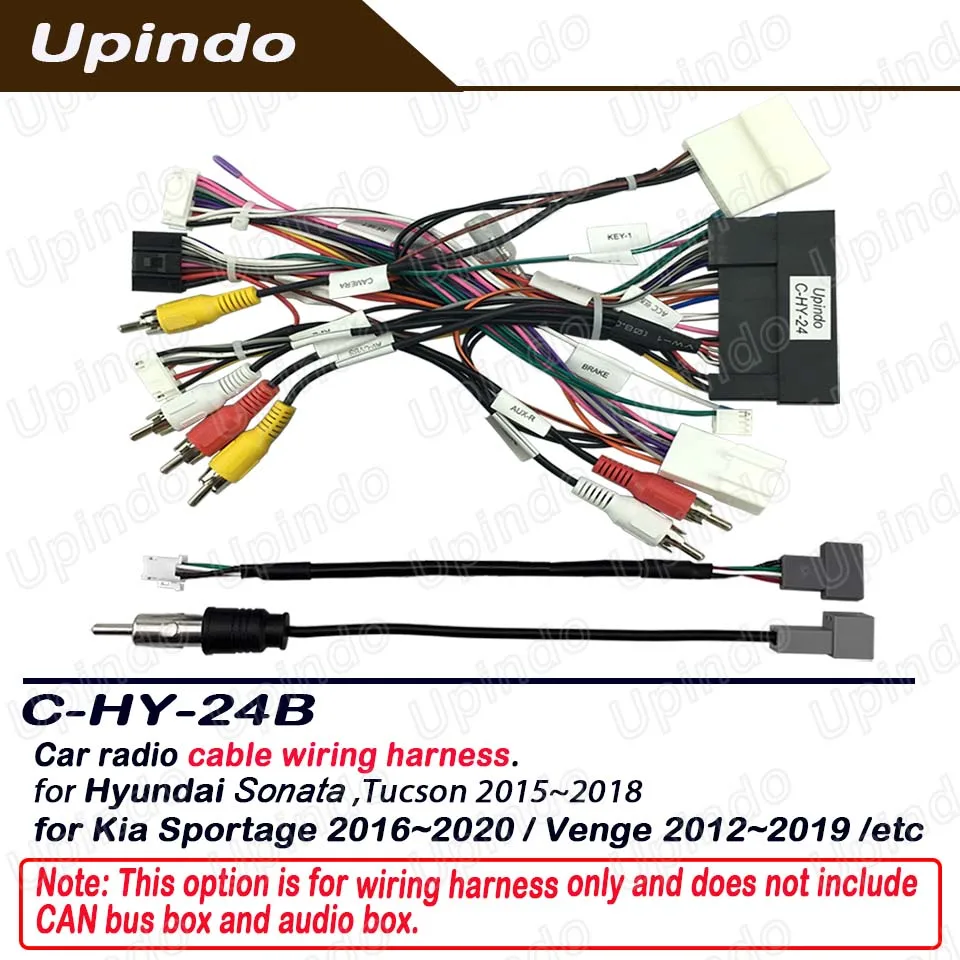
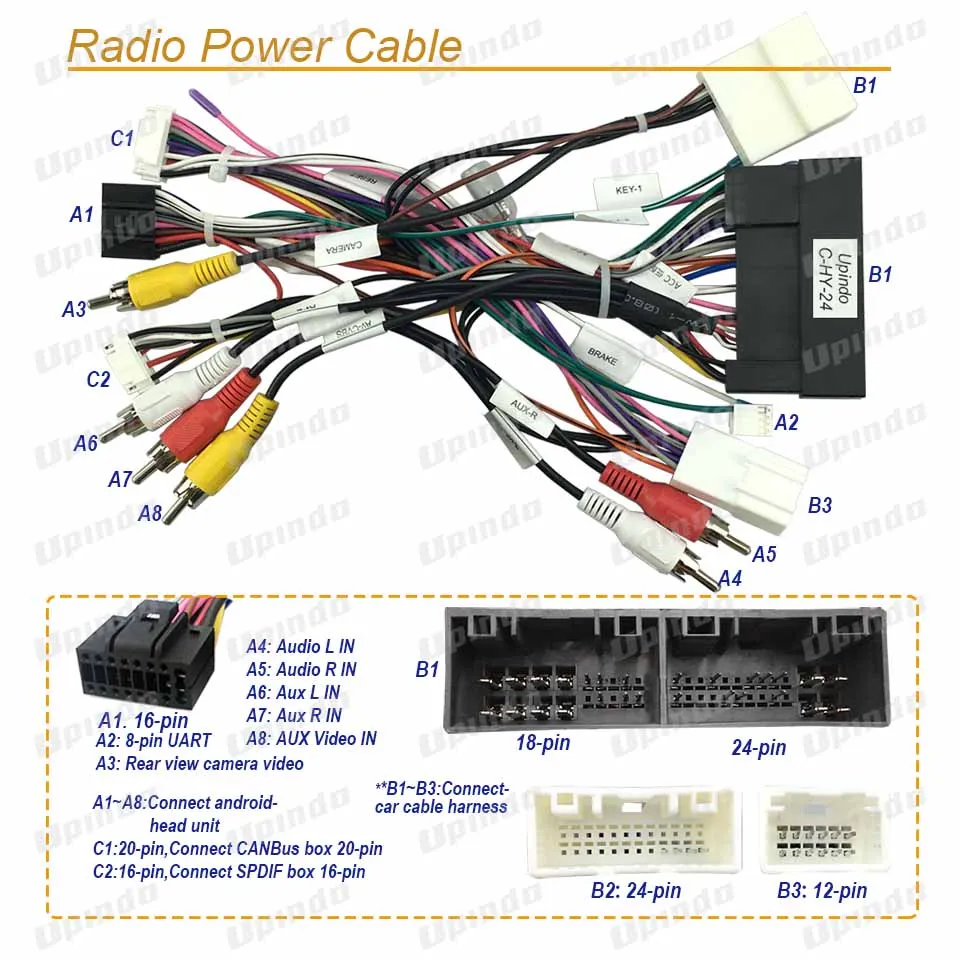
1 * Radio Power Cable
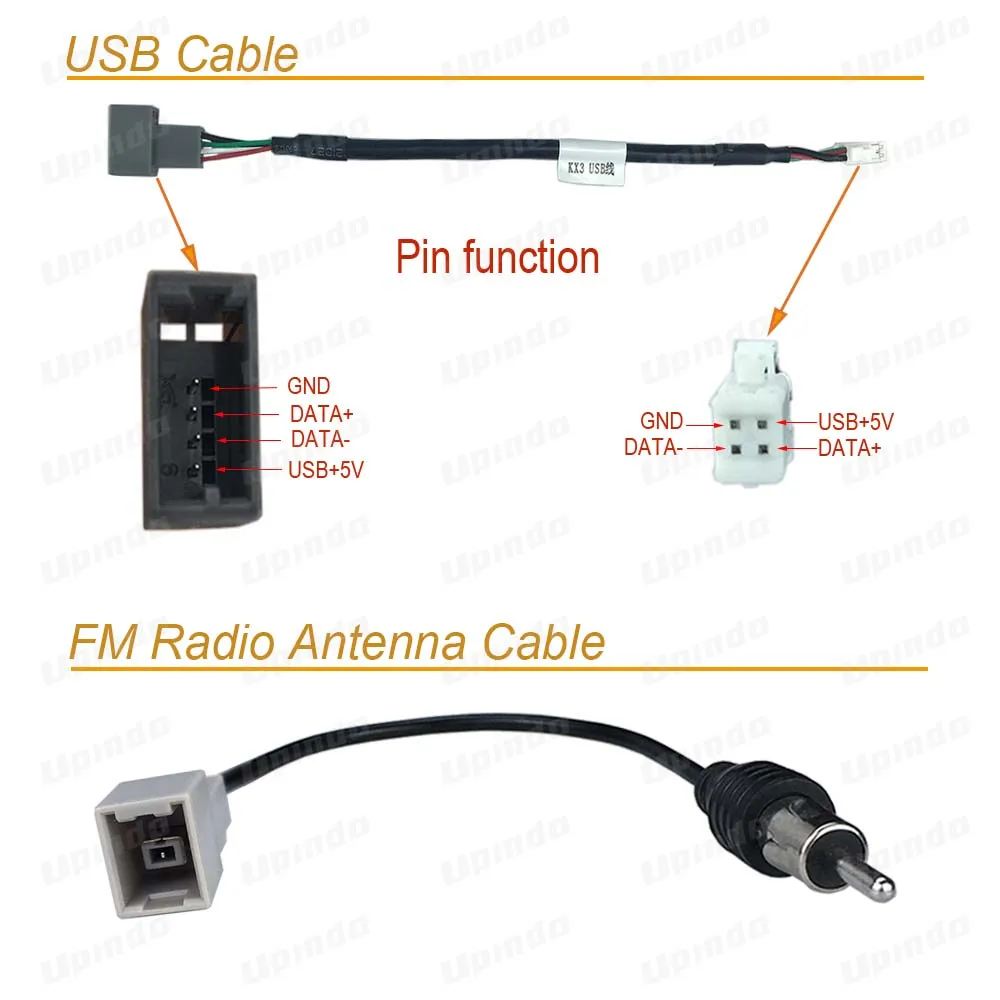
1 * USB Cable
1 * FM Antenna Cable
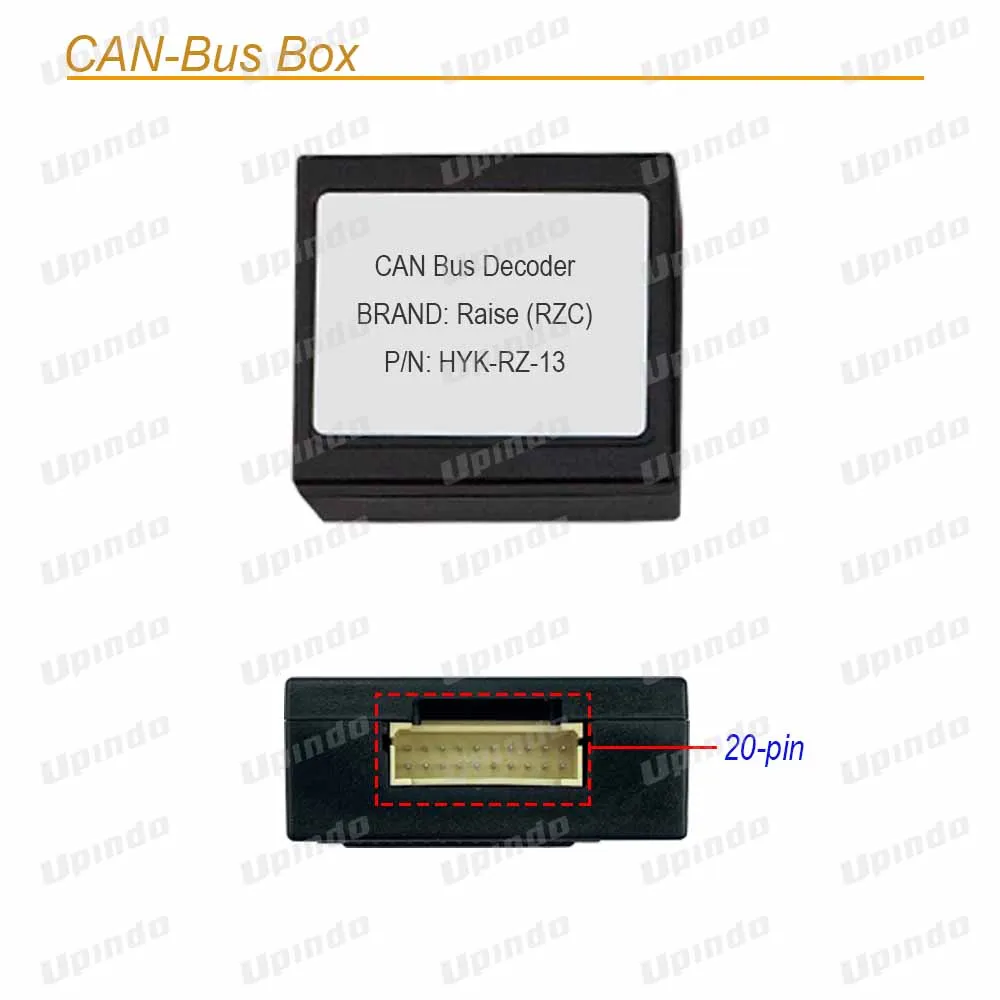
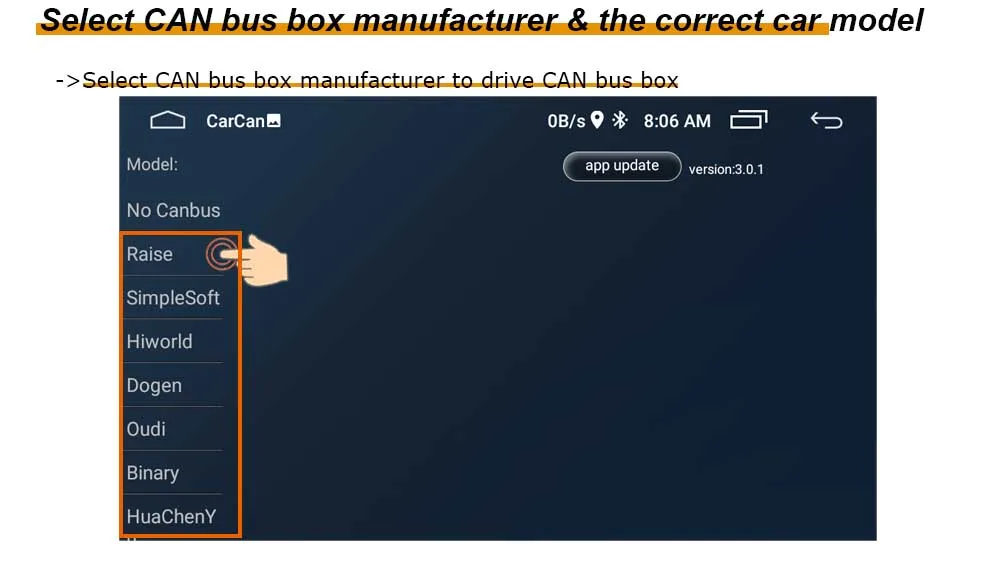
1 * CAN bus Box
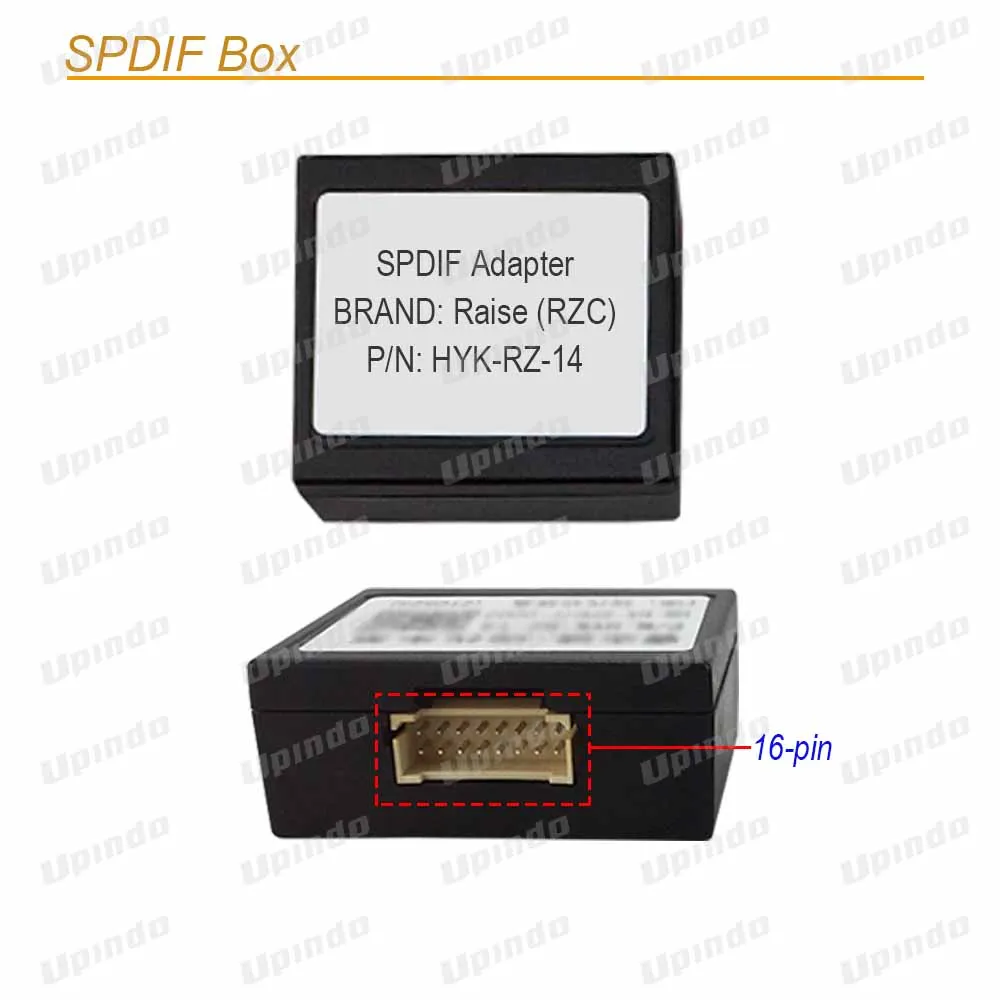
1 * SPDIF Box
How to do after receiving
-> Connect the cable harness.
-> Cable connector A1~A8: Connect the Android Head unit;
-> Cable connector B1: Connect the Car cable harness‘’
-> Cable connector C1: Connect the CAN-Bus Box;
-> Cable connector C2: Connect the SPDIF Box