Junsun Wireless CarPlay Android Auto Car Radio for Renault Clio 4 2012- 2017 2 DIN Multimedia Stereo with Built-in Cooling Fan GPS Navigation SWC Bluetooth FM RDS DSP IPS Screen Car Intelligent Systems 4G WiFi 8 Core


Junsun Wireless CarPlay Android Auto Car Radio for Renault Clio 4 2012- 2017 2 DIN Multimedia Stereo with Built-in Cooling Fan GPS Navigation SWC Bluetooth FM RDS DSP IPS Screen Car Intelligent Systems 4G WiFi 8 Core
SPECIFICATIONS
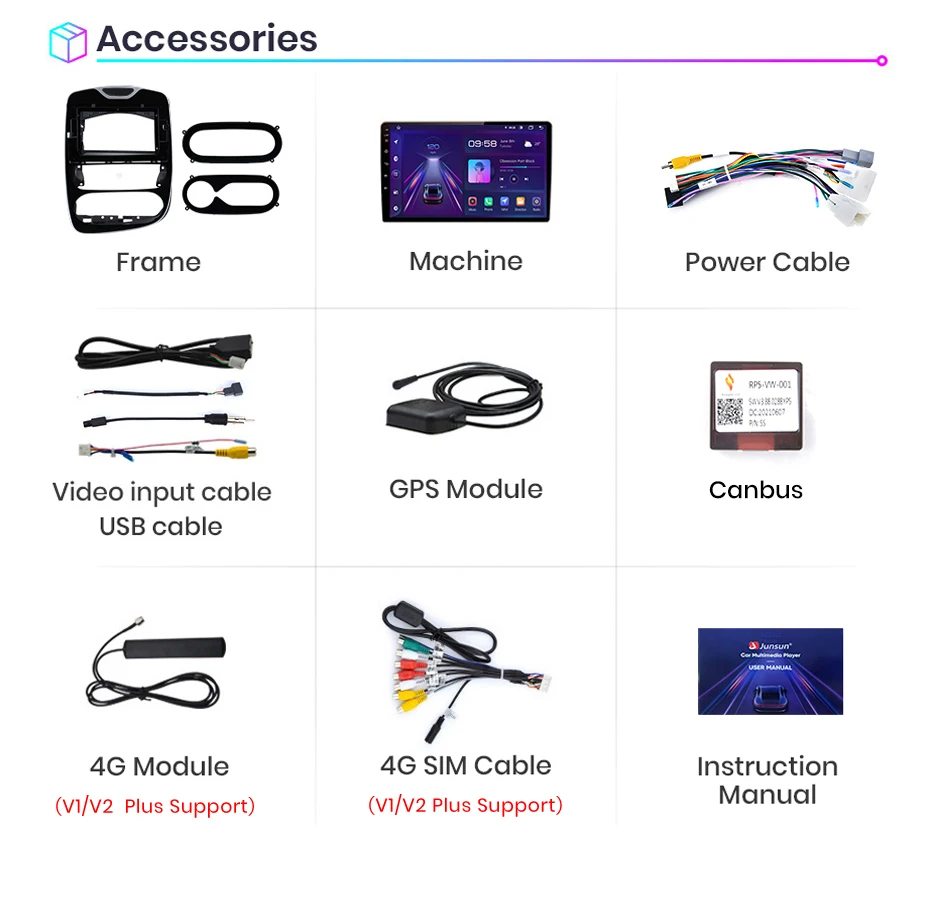
Accessory Type: Power Cable/USB cable/GPS model/Video input cable
After-sales guarantee: Free return, 3-year warranty
Bluetooth support: Bluetooth music, Bluetooth phone calls
Brand Name: Junsun
Built-in CD player: no
Built-in DVD Player: no
Built-in Screen: Yes
Category: Combination product
Certification: CE,EAC,FCC,RoHS,KC,weee
Chipset: MTK 8-core
Clio-Year: 2015
Digital Media Format: Mp3,MP4,WMA,JPEG
Din: Double Din
Display Size: 10"
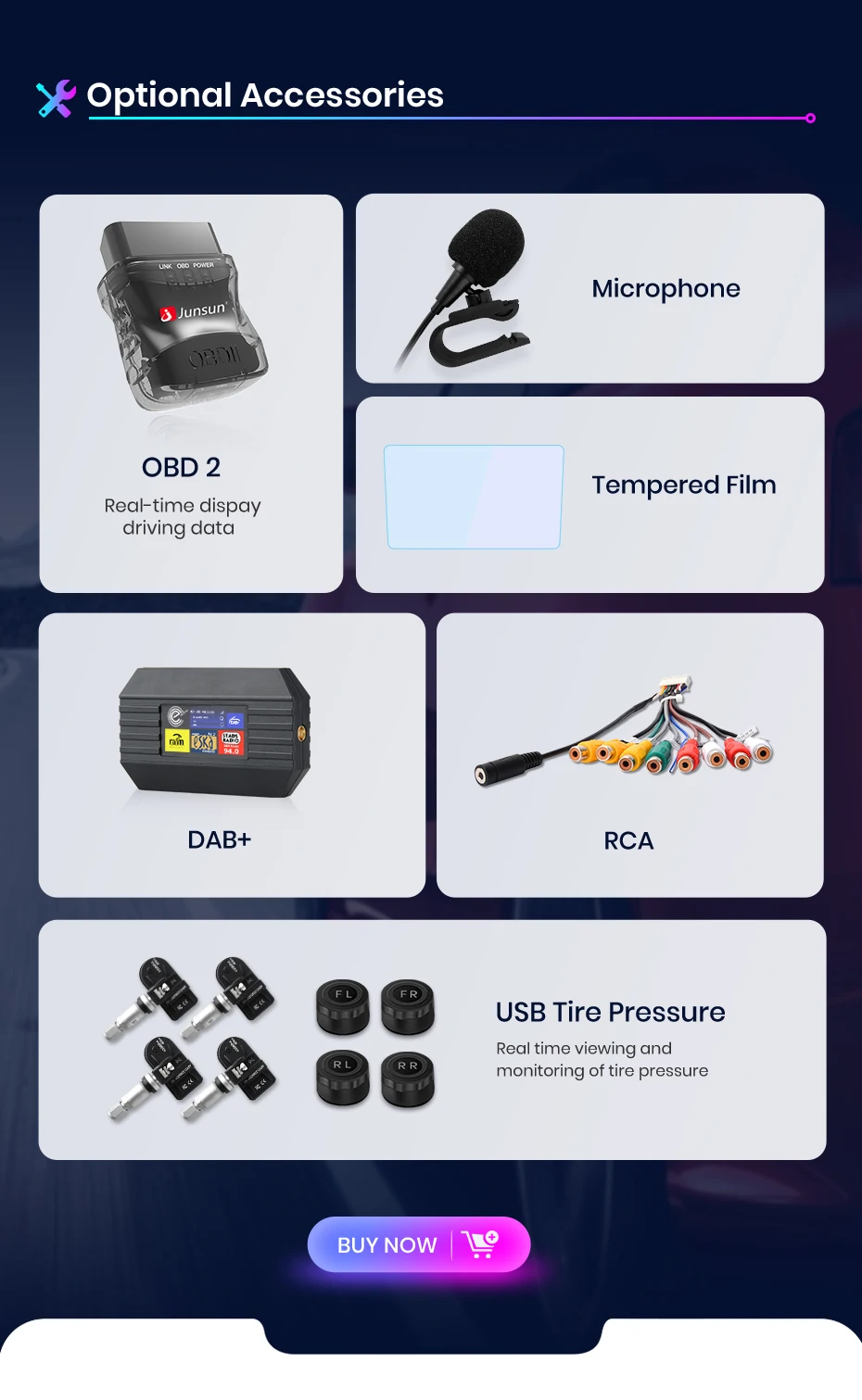
Featured functions: AI voice, GPS track anti-theft, Internet radio, tire pressure abnormality monitoring, rear camera support, etc.
Firmware software update: Permanent free update
For Vehicle Brands/Model: Renault
Installation services: Some countries in Europe, North America, and the Middle East offer installation services (for a fee); please contact us.
Interface: USB, RCA
Is touch screen: Yes
Item Size: 10 inch
Item Weight: 2.5
Junsun Brand Introduction: Junsun has always adhered to a customer-centric approach in designing user-friendly products, striving to create a more enriched and secure intelligent automotive lifestyle.
Material: Composite Material
Max External Memory: 256G
Model name: XT89
OSD Language: Chinese (Simplified),Chinese (Traditional),albanian,Arabic,Azeri,Irish,ESTONIAN,Belarusian,Bulgarian,Icelandic,Polish,PERSIAN,Boolean text (Dutch South Africa),Danish,German,Russian,French,Filipino,Finnish,Georgian,Haitian Creole,Korean,Dutch,Galicia,Catalan,czech,Croatian,Latin,Latvian,Lithuanian,Romanian,Maltese,Malay,Macedonian,Norwegian,Portuguese,Japanese,Swedish,Serbian,Slovak,Slovenian,Swahili,THAI,Turkish,Welsh,Ukrainian,Hebrew,Greek,Spain's Basque,Spanish,hungarian,Armenian,Italian,Yiddish,hindi,Urdu India,indonesia,English,Vietnamese
Operating System: Android 13
Origin: Mainland China
Out Power: 4*45W
Preset Station: Set by yourself
Processor Speed: 1.3 GHz~2.0 GHz
Processor Type: AMP7388
RAM: 4G
ROM: 128G
Renault Model: CLIO
Resolution: 1280*720P IPS (Optional)
Shipping time: Delivery within 24 hours on weekdays
Special Features: Built-In Speaker/Microphone,wifi function,Support steering wheel control,Support 3G Network,Support 4G Network,Support Can-Bus,Built-in GPS,Mobile Phone,MP3 players
Supports CarPlay & Android Auto: Wireless CarPlay & Wireless Android Auto
TF/Micro SD Slot: 2
Tuner Type: 4745/MT6625N
Voltage: 12 V
Warranty: 3 Years
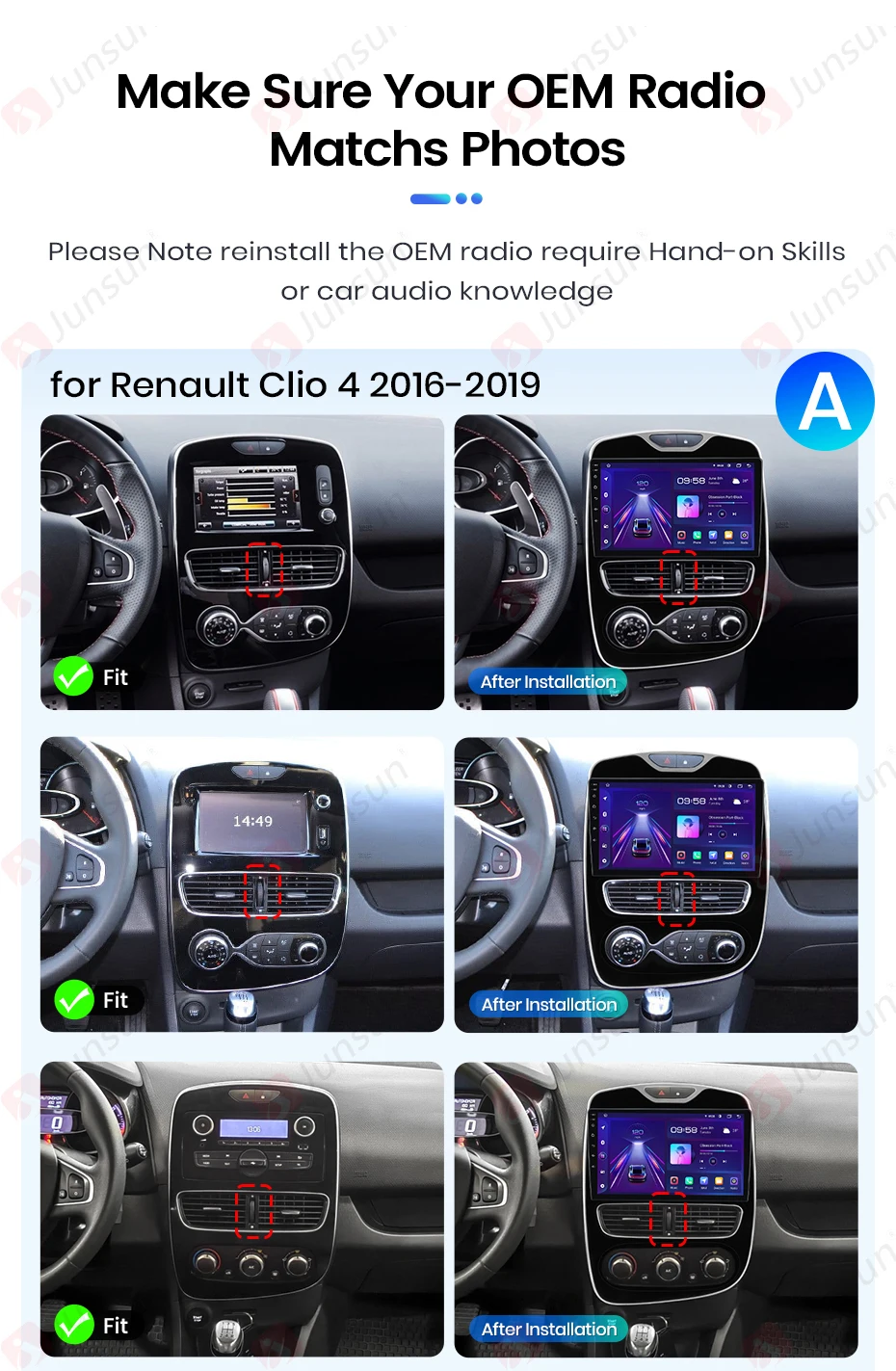
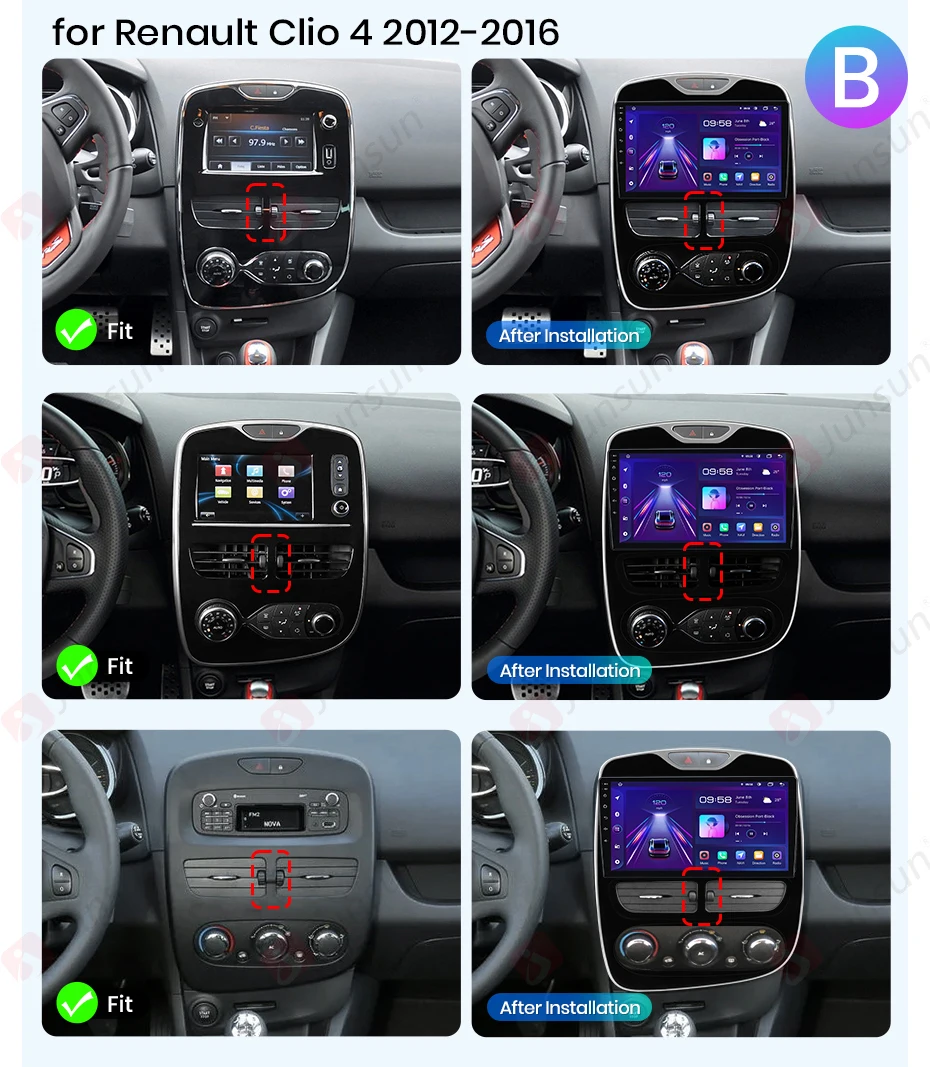
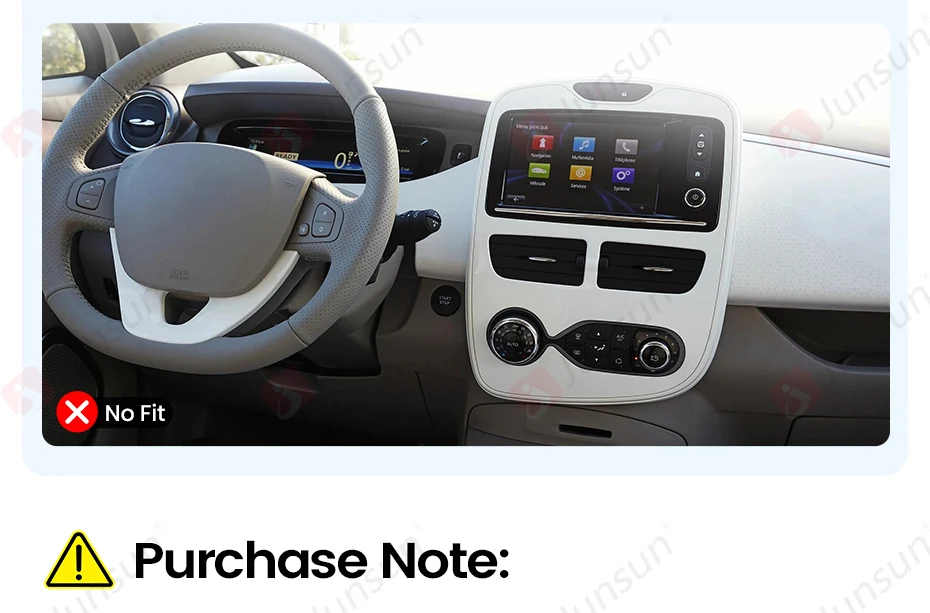
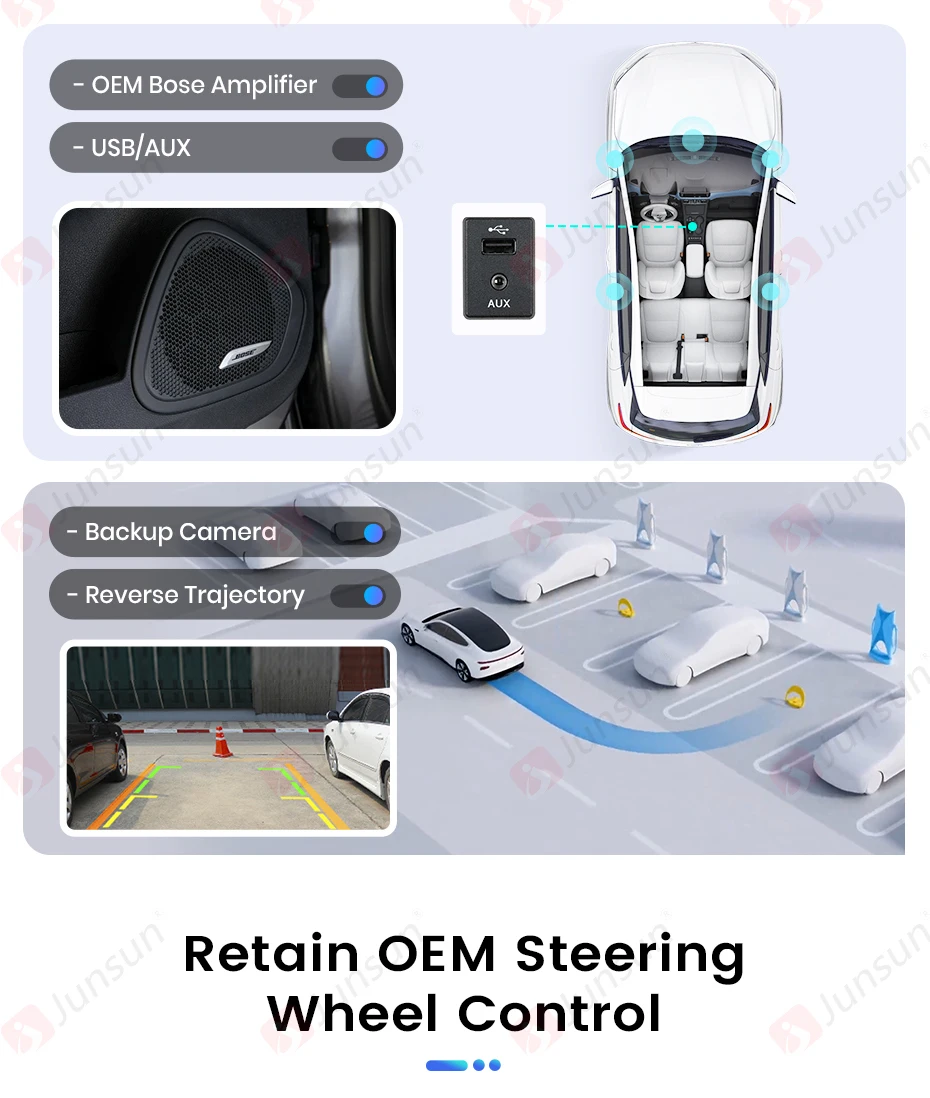
1. Our adapter supports Bose system,please rest sure to place your order;
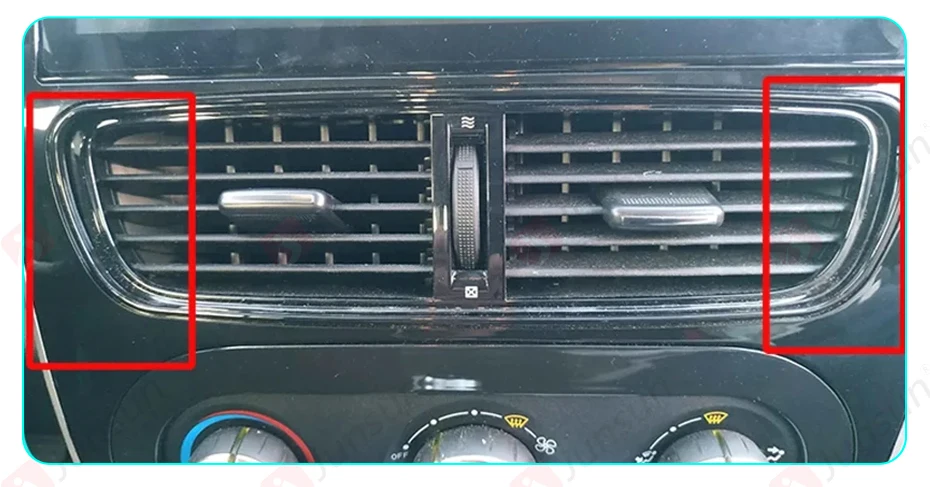
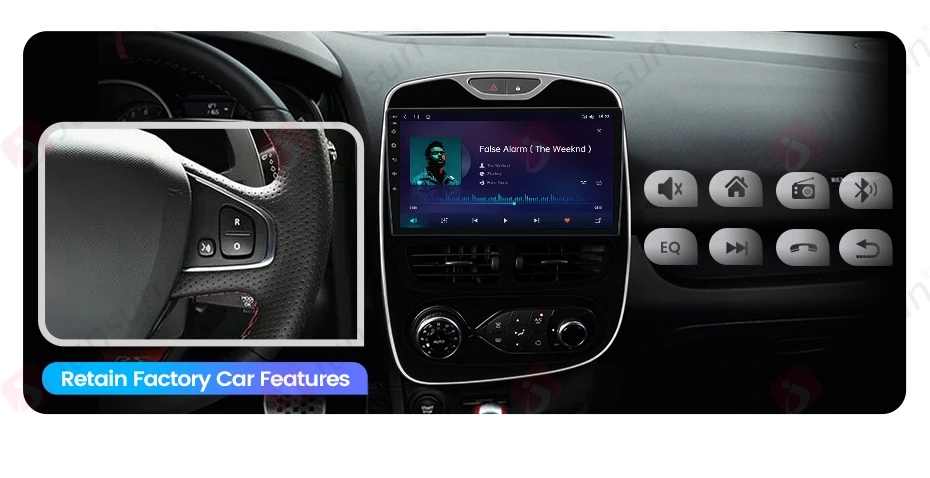
4.there will be gaps in the position of the air conditioning network after installation as show in the picture.

>> Why choose Junsun?
1. As the official Junsunn store onPlatform,We're committed to delivery authentic, original products. Celebrated as one ofPlatform'S Top 10 Brands, Junsunhas had the Trust of over 2 million fans and has served more than 5 million users Global for over a decade. Choose JunSun for dependent, cutting-edge car equipment that enhances your drive experience with both safety and intelligence.
2. Fast Delivery:We guarantee rapid service from our warehouse in Poland, France, Germany, and Spain within 24 hours of payment verification. Our efficient distribution points prompt delivery of goods across the Whole European Region.
3. After-sales service:If the product has a problem within 2 years after receiving confirmation, we will replace the new machine directly for you, but please contact us first to communication (24-hour customer service).
4. Innovation and Updates:Our commitment extends to continuous innovation in the equipment and software of Our because multimedia player radios, providing a personaled experience. We offer free updates for programming, softwarware, UI, and navigation mapings to enhance product functionality. At JunSun, you can find any type of radio you may.
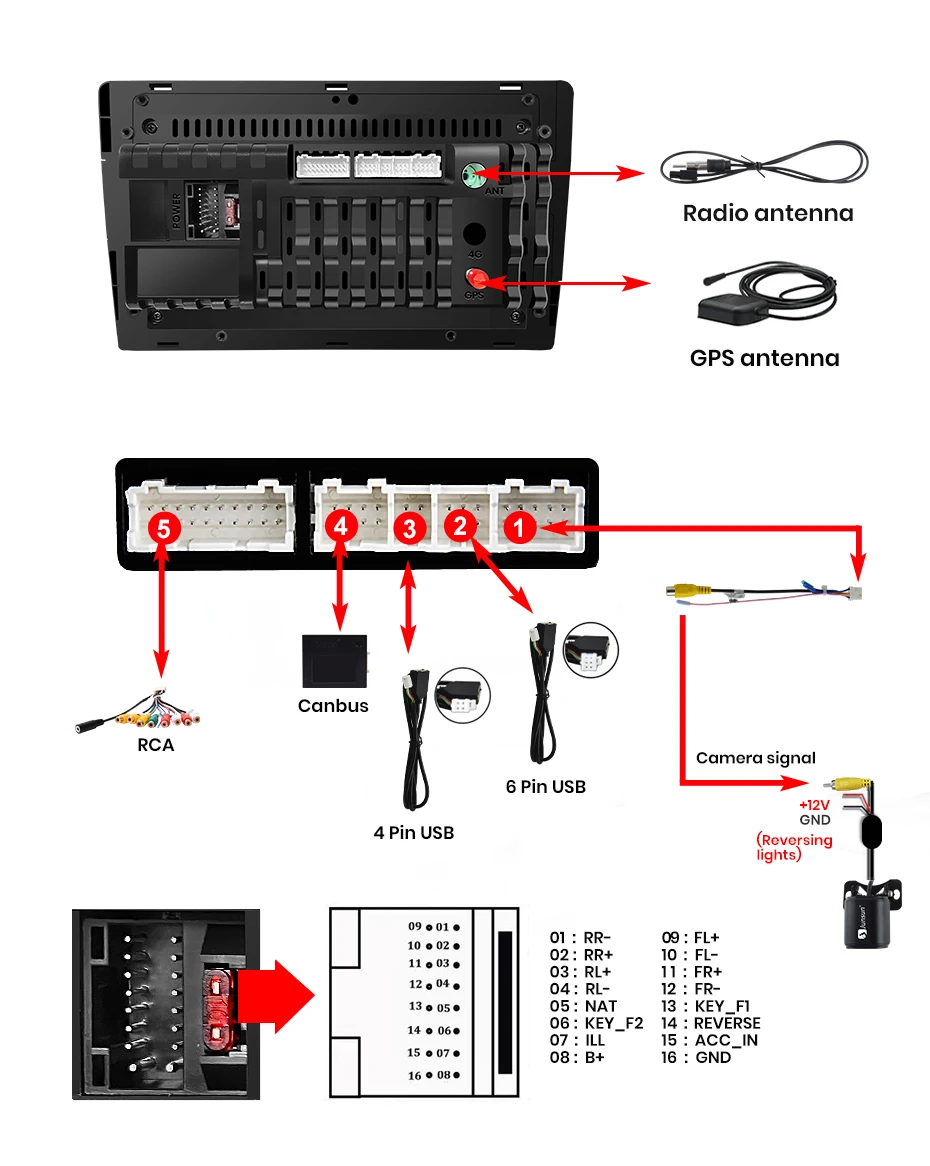
5. Plug & Play:Junsun radios' power cable is pin to pin, can be directly connected to the car power interface, easy to install.


>> Junsun radio for Renault Cio 4 2016 2017 2018 2019 Function
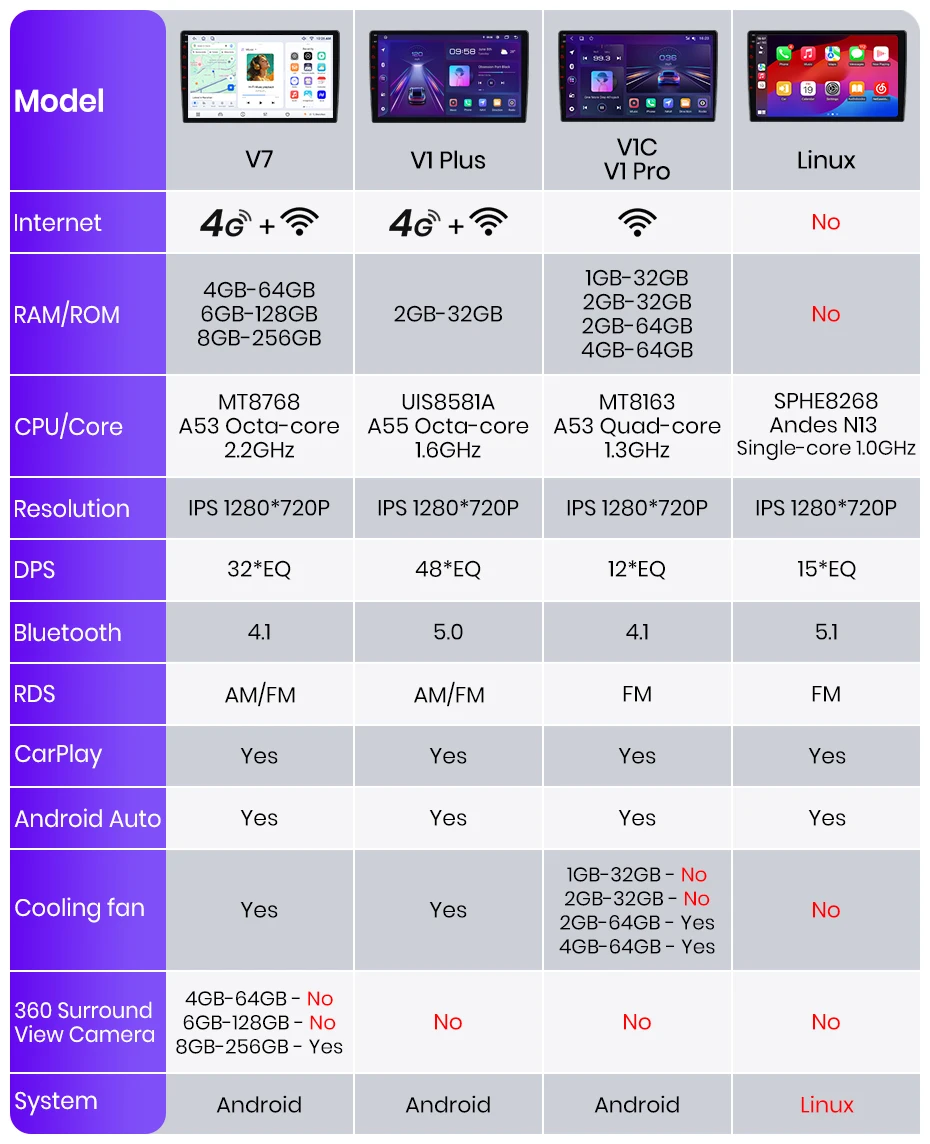
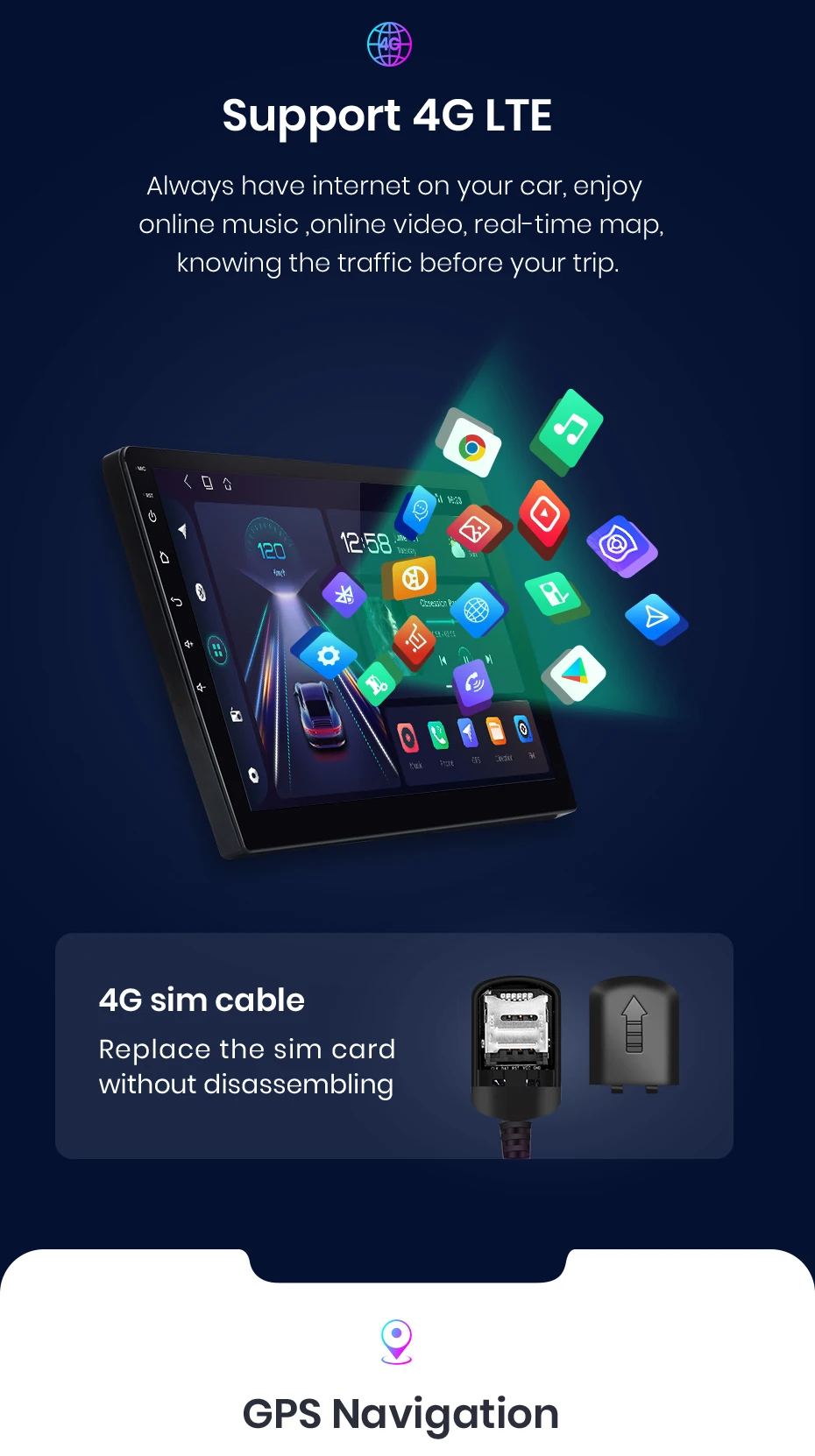
【Multi-functional car audio】Android 14(Now the radio is Android 13, if you want to upgrade, please contact us to upgrade), Bluetooth 5.0, IPS 1280*720(7inch is 1024*600) screen resolution, online/offline navigation, WIFI & 4G, Steering wheel control, FM/RDS Radio, split screen, DSP
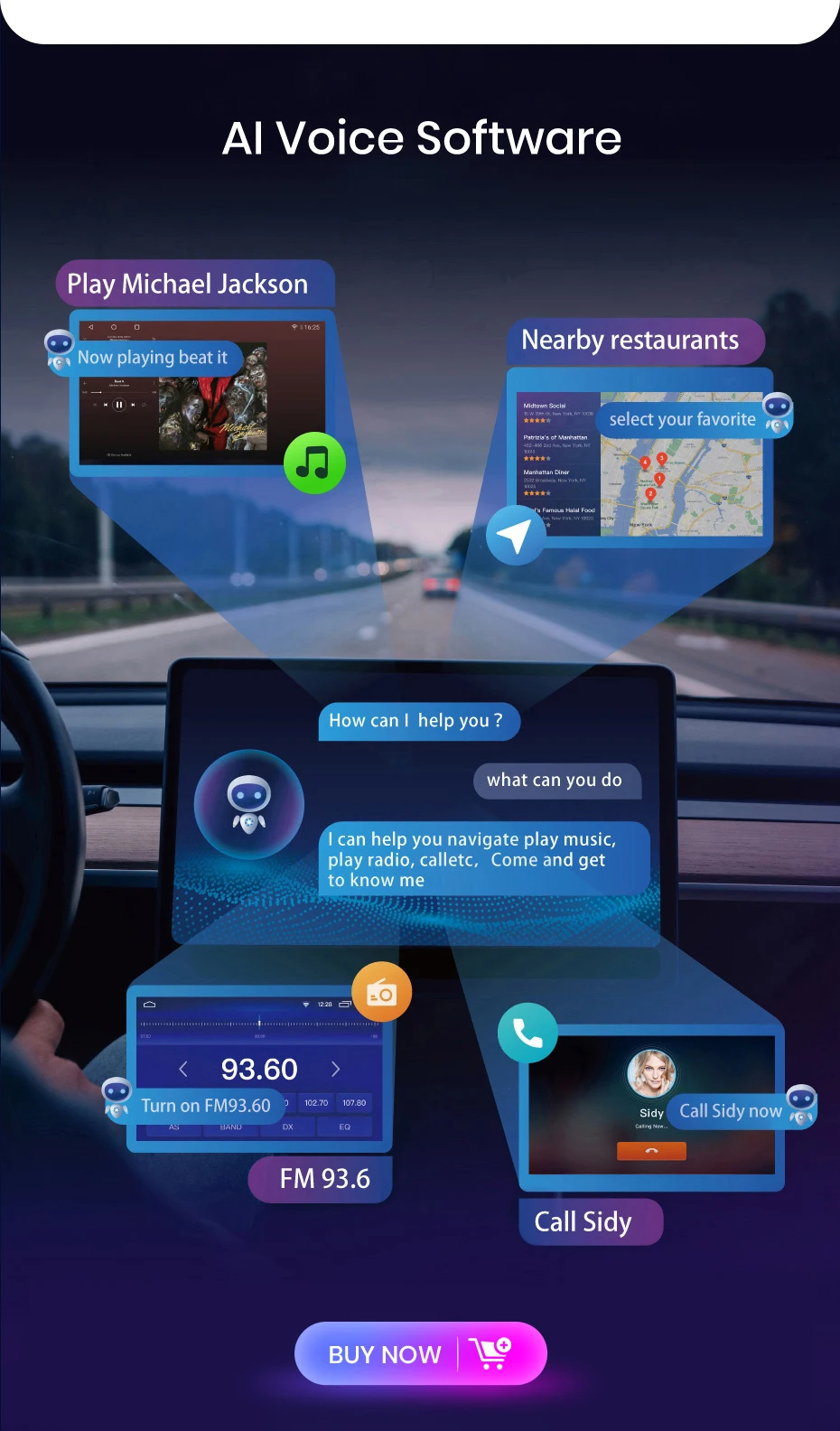
【For Apple Carlay & Android Auto 】Use your phone in a smart, safe way while you drive. Get directions, make call, send and receive messages, and enjoy your favorite music. Siri & Google Assistant can help you do all of these things. All you have to do is ask.
【Superior Car Audio Normance】This Android because radio has built-in DSP. And there are 12-48 band graphic equalizer, going you to adjust and Talor the listing experience to fit your taste.
【Free Powerful Cooling】The radio is equipped with a more fuel and silver cooling fan to avid reboot or abnormal touch or function function caused by overseeing or long-term use. With it, many can work smooth at the same time applications
【Upgrade Bluetooth5.0 Version】This car radio with Bluetooth Provide has more stable connection for your smartphone and Bluetooth devices, it can capture your voice clear and your phone call experience, allows you to enjoy a superior music listing experience!
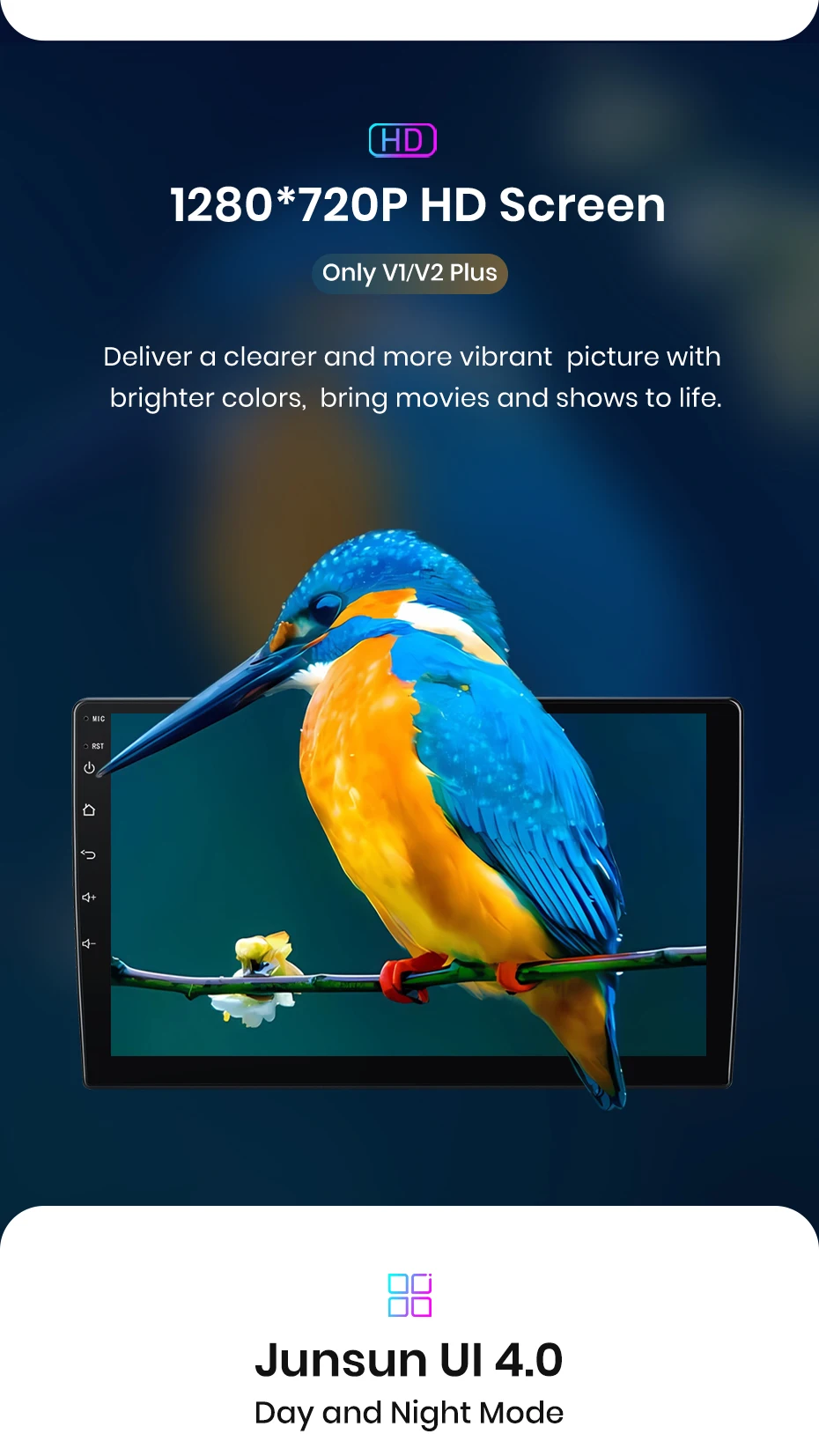
【IPS Display Car head Unit】The screen is expanded to IPS with resolution of 1280*720, which brings better color accusations, contrast,and brightlessness. Enjoy immersive visual experience and simple operation on the 9/10 Inch big screen. Comes with Junsun UI themes that you can choose from, support day and night model, provide you a safe & comfortable drive experience is special at night.
【More Version Support Software Updates】With OTA updates, you can keep this radio up-to-date by fixing softwarees from and ending security. Just a few maps, and your video is on the path to improve! Note: The Update is for the software, not an Android system grade.(V2Plus not support)
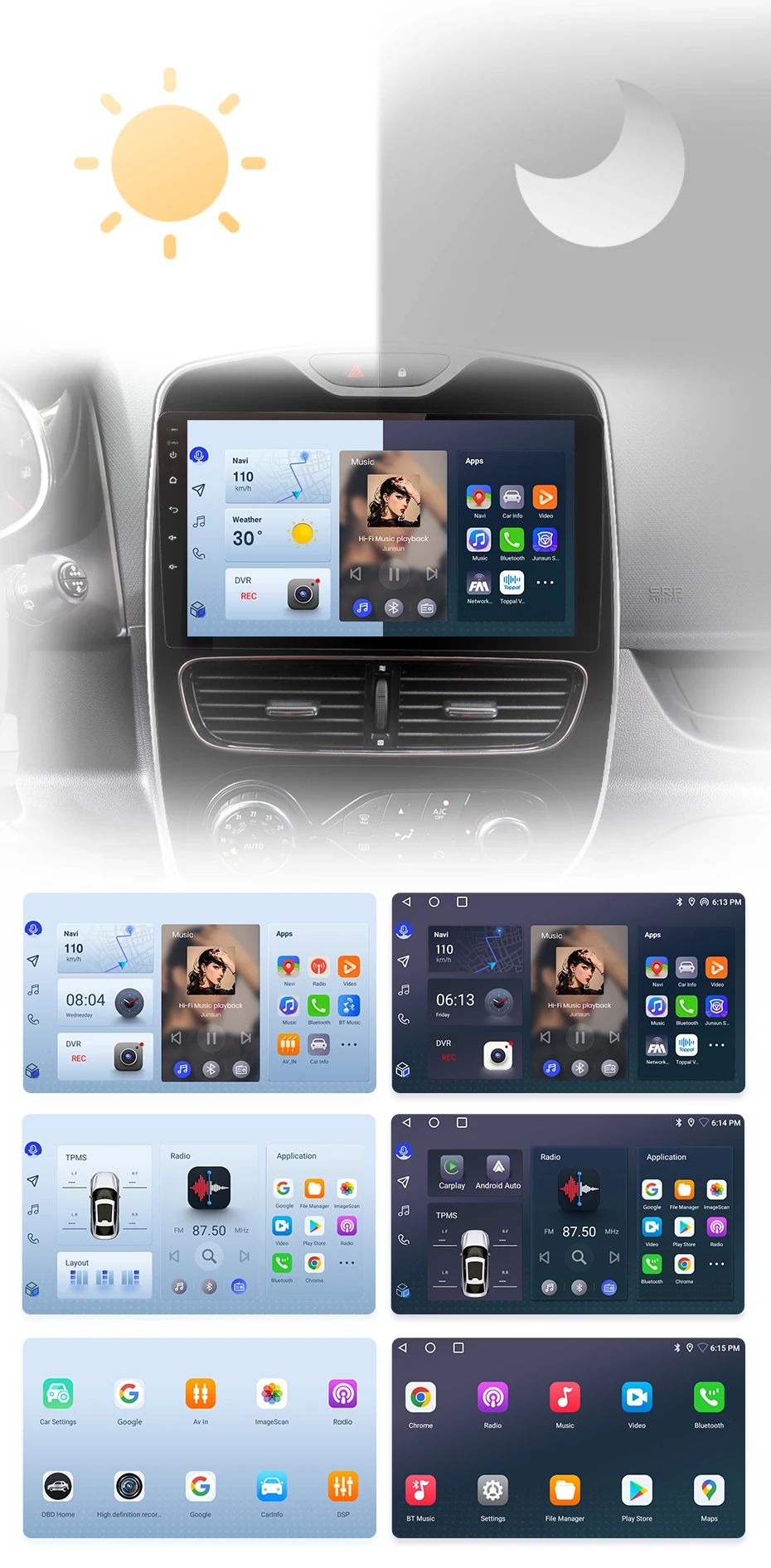
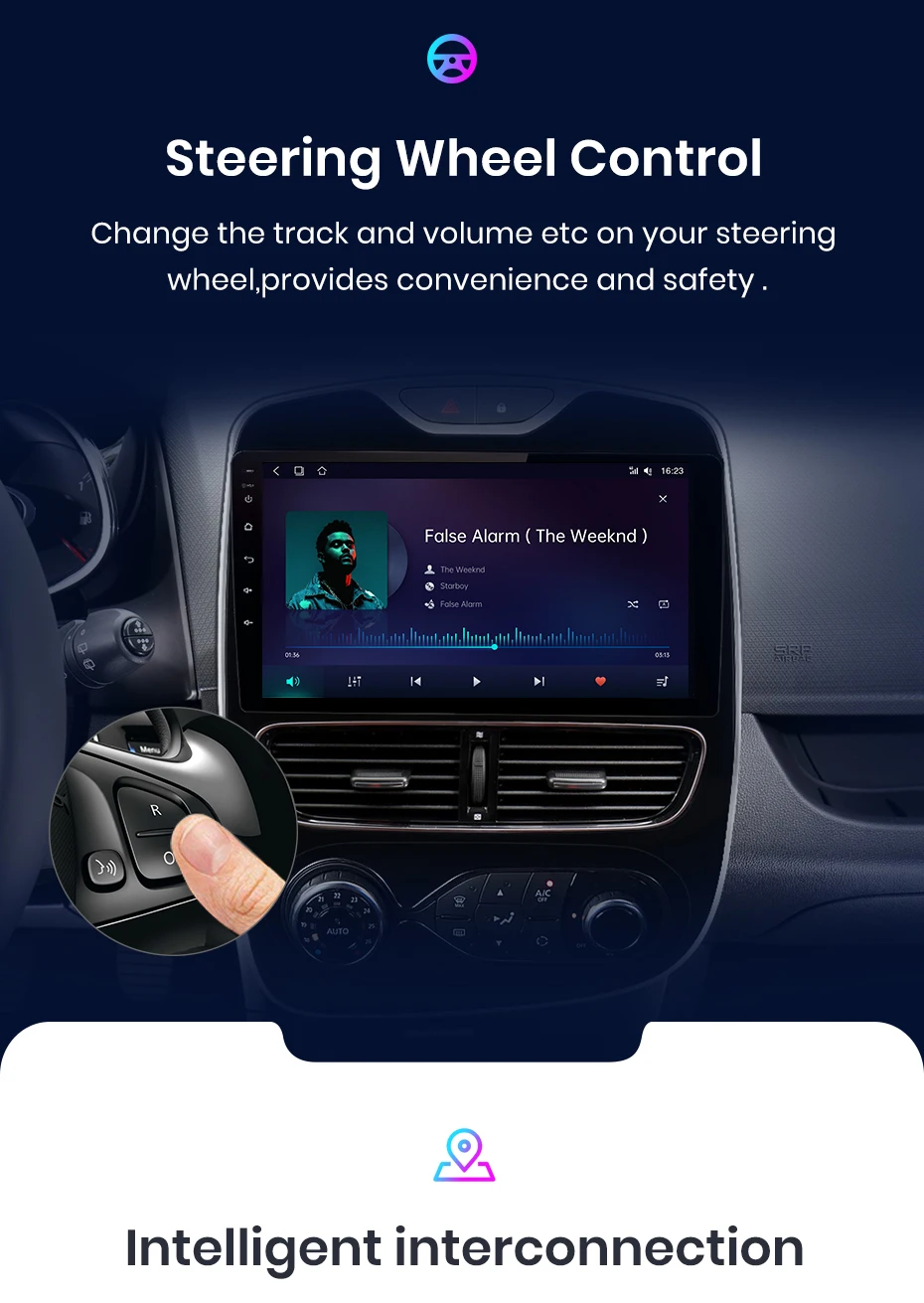
The radio will switch between day and night modes using car headlights to adjust the overall brightly of the screen to match the surround environment. Common functions are integrated into the top, enabling you to switch between navigation, music, Bluetooth-th stones, and other common designs with just one click. Junsun's personalized UI design embracing convience and safety throughout your journey;
PS: If you receive UI3.0, and want to up UI4.0, please contact online service for help
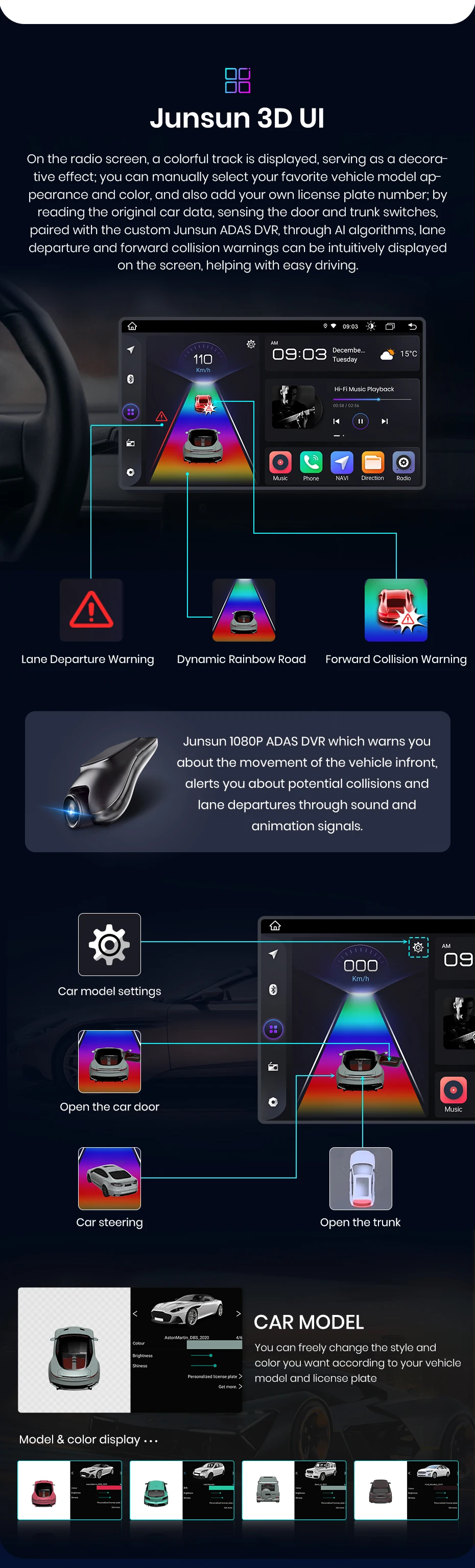


The Junsun radio Wireless CarPlay and Android Auto supports, allowing you to use smartphone functions and applications such as navigation, music, call, and messaging during your journey. It offers a high-quality audio experience, enhancing the entertainment and convention of your driving experience.
PS:V1 C/V1 Pro C/V1 Plus are supported version.
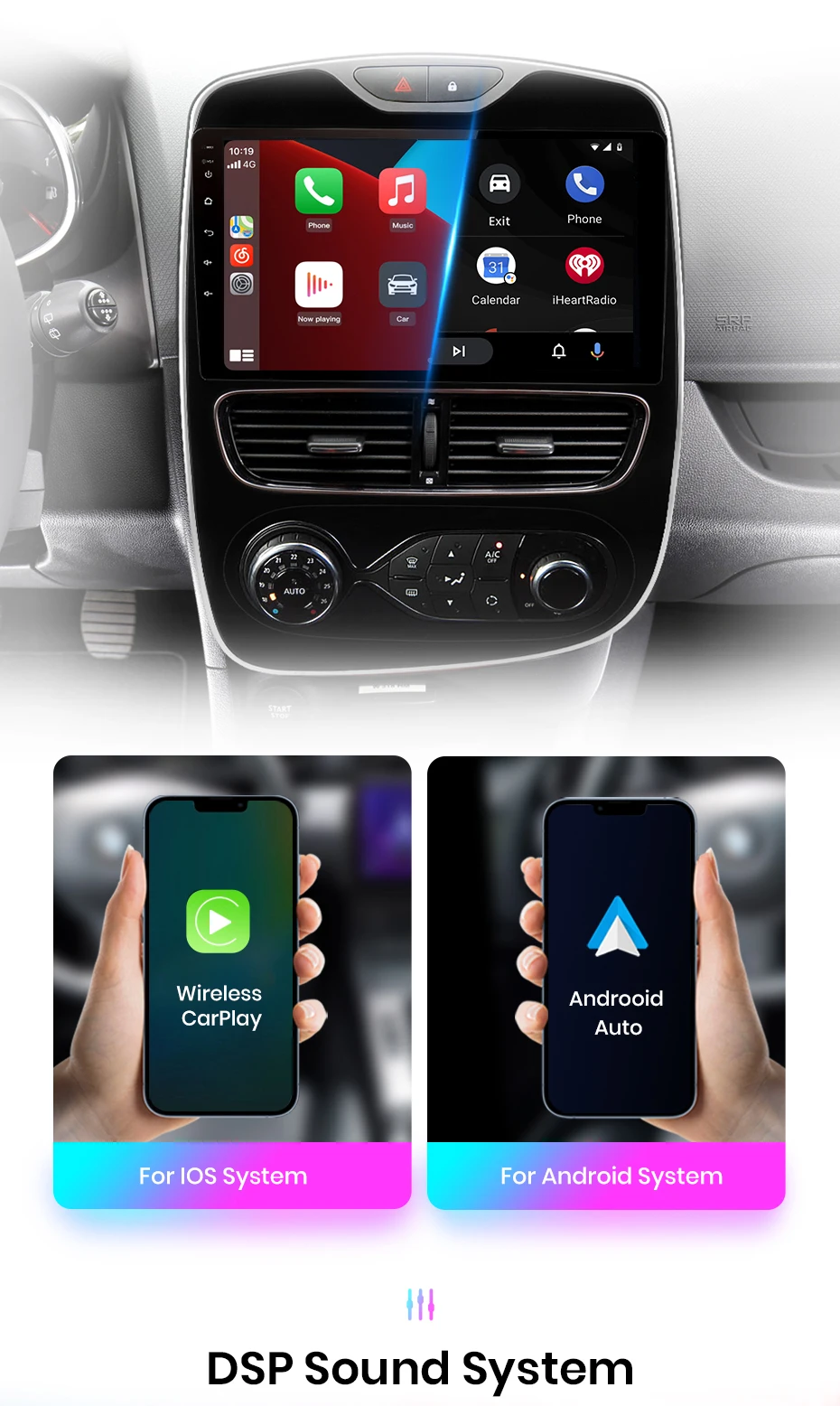
DSP is a fuel tool that optimizes sound quality and adapts to various environments. It fine-tunes audio parameters like equalization, low filtering, and sound Folding, ensuring optimal sound performance to your car and speaker setup.


Experience the exclusive "Junsun Online" app designed by Junsun, where you can effortly track your vehicle's Real-time rental, replay historical roads, and remotely monitor and capture with just one click (requires the purchase of a dashcam). This feature not only allows you to gain insights into your driving performance but also staying all driving driving safety and experience.
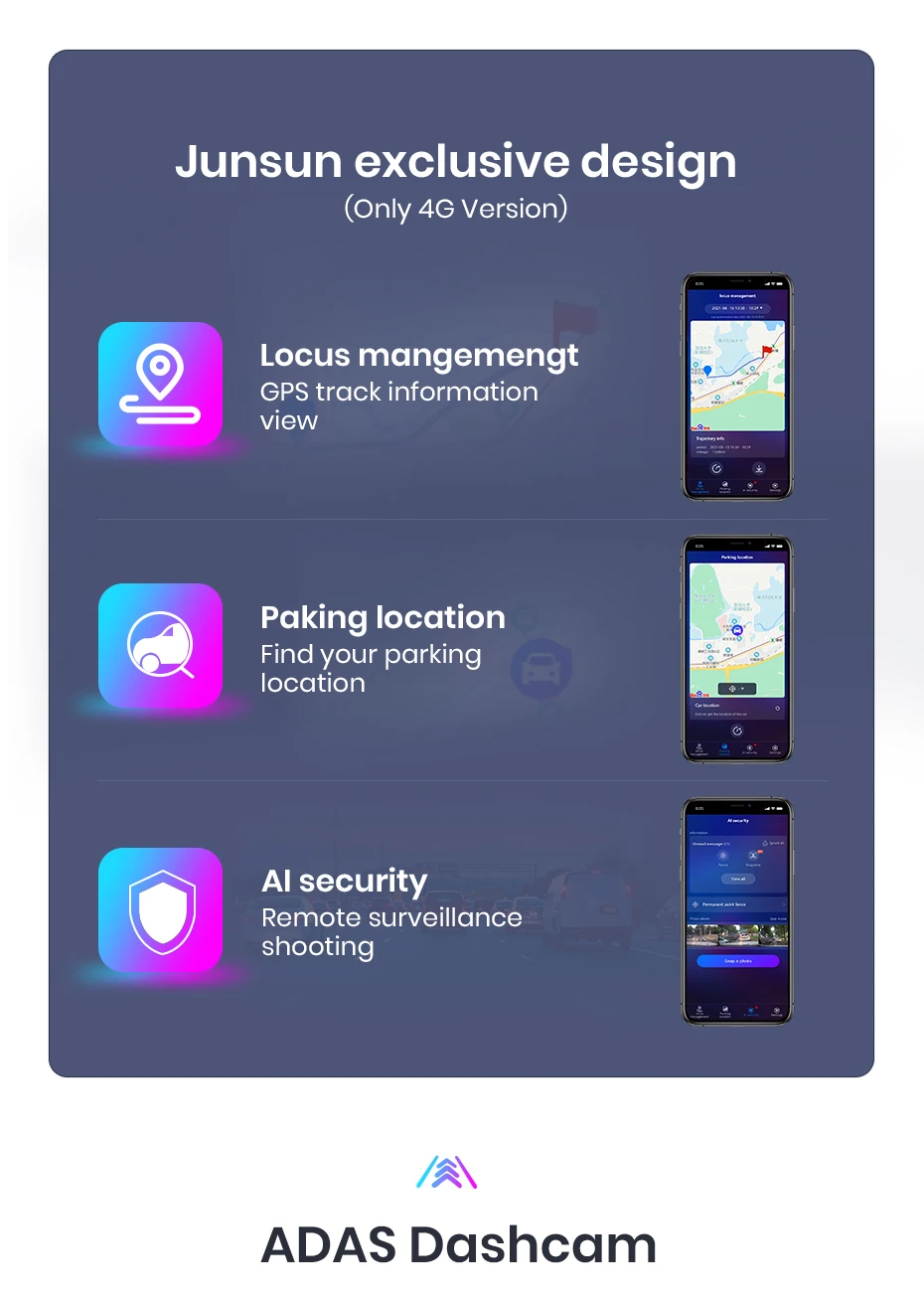
Advanced driver assistance systems, 1080P HD shooting, hidden installation, wide Display screen, providing safe driving.

With the real-time image Display, you can Plain see the blind spots and obstacles behind your vehicle, greater spreading the risk of reverse accidents.

Junsun car navigation system offers build-in offshore maps and online map support, allowing you to find the right route at any time. Regardless of the network conditions, we ensure that your navigation experience uninterrupted. And we provide free updates, ensuring that you always have the latest map data.


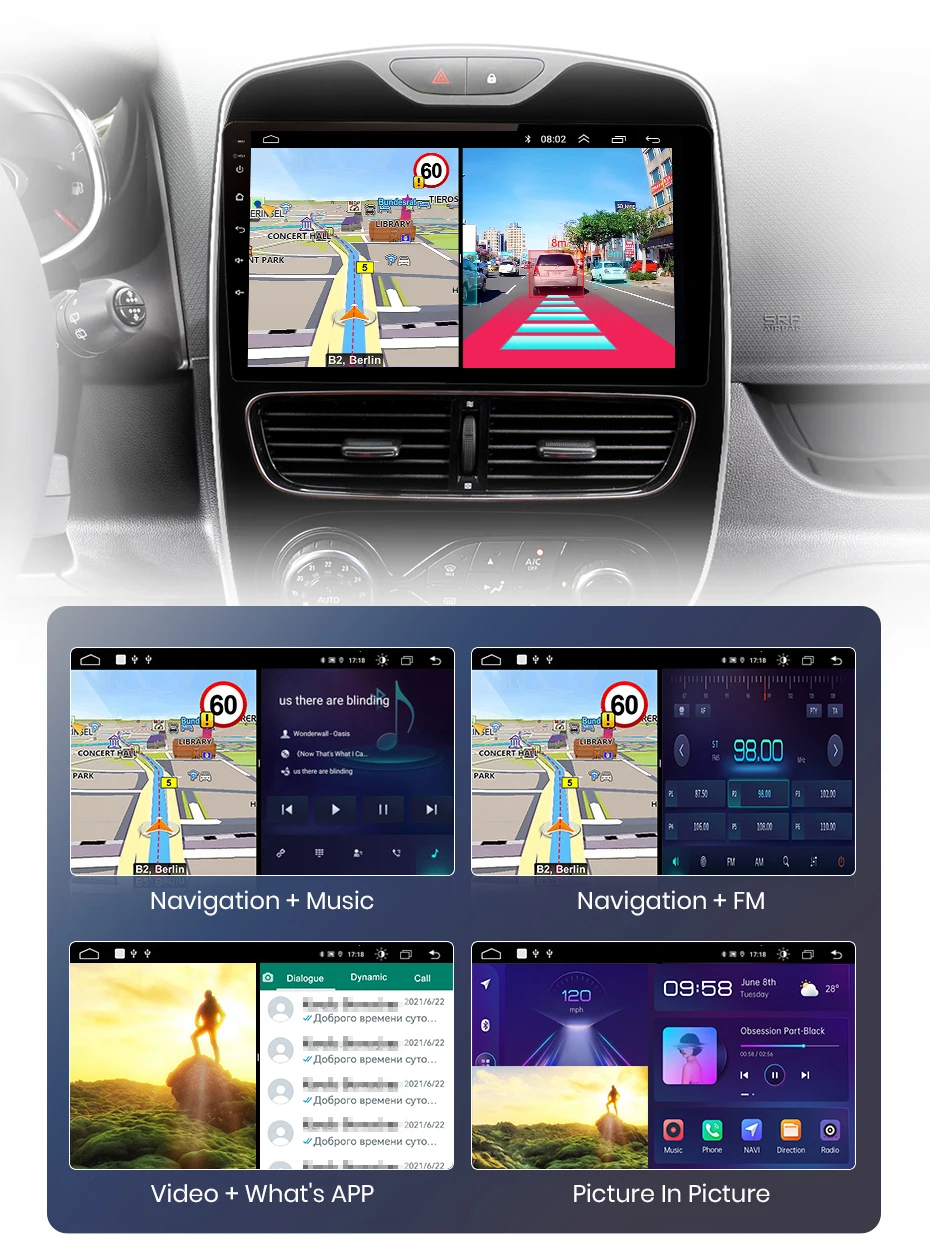
Enjoy Superior multitasking, easy-to-navigate interface, expanded visuals, adjustable settings and touch-sensitive controls. E. G. navigation for the main driver, playing video for the passenger, or one side listing to music and other side turn on ADAS DVR functions etc.

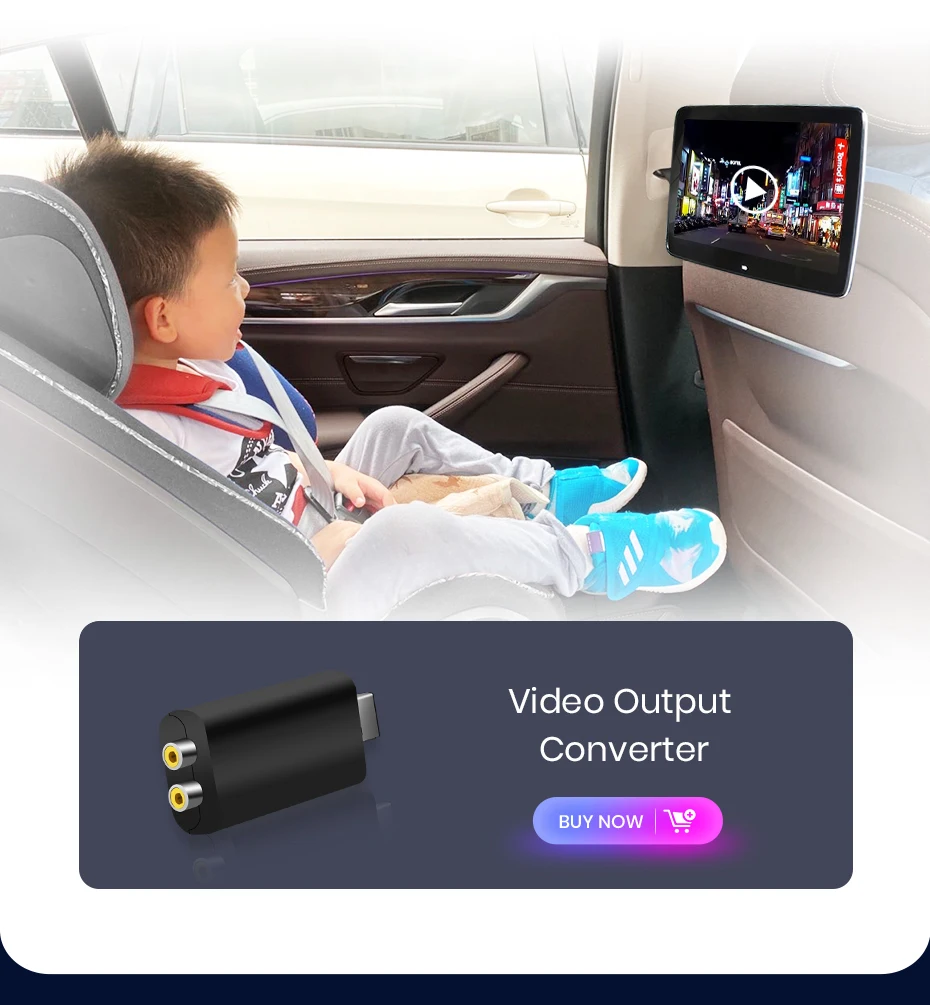
Connect your car navigation system to an external Display and joy to increase screen experience. The VA-out feature allows you to project the content and functionality of your navigation system to supported external Display devices, delivery a Clearer and more immersive audio-visual experience.
FAQ
1. How to connect the watch view camera?
1) Red cable ② is connected to the back light "+"
2) Black cable ① is connected to the “GND”
3)The reverse detection cable ④(Brown color) is connected to the red cable ③ which extending from the video output cable, Please following the picture below to connect.
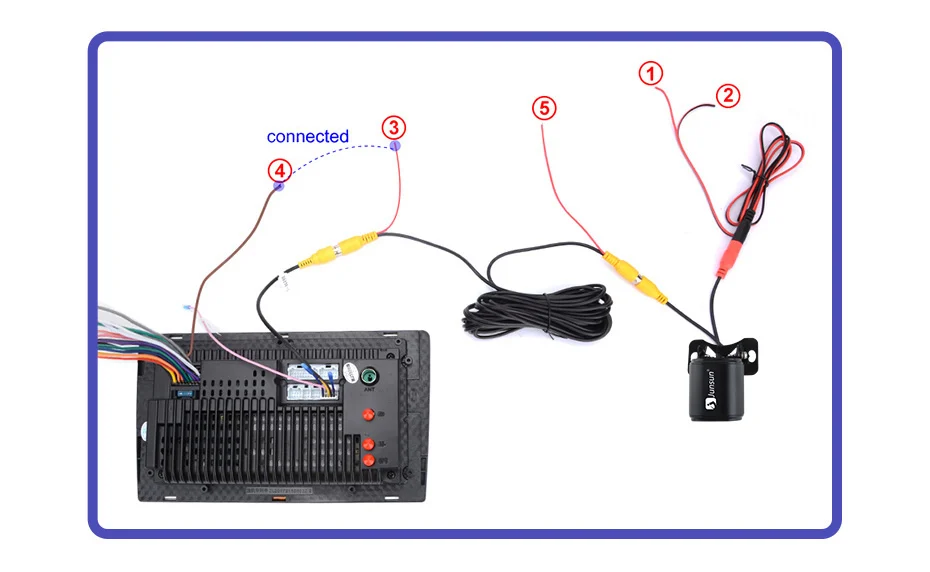
If the screen displays quite normal after V1 PLUS/V2 PLUS Connection, please enter the Factory settings to adjust the camera format, setting-Car Information-About Device-8878-Backcar Setup-change the CamType /CamFormat to match the camera format;
2.How to set steering which controls?
Before starting the setup, please confirm that the MANBUS box and 8PIN serial cable are connected to the multimedia !!!
1) There is Canbus in the product, if you buy V1/V1.C/V1 Pro/V1 Pro.C/V1 Plus, please refuse to the picture to set and choose Simple soft-your car model
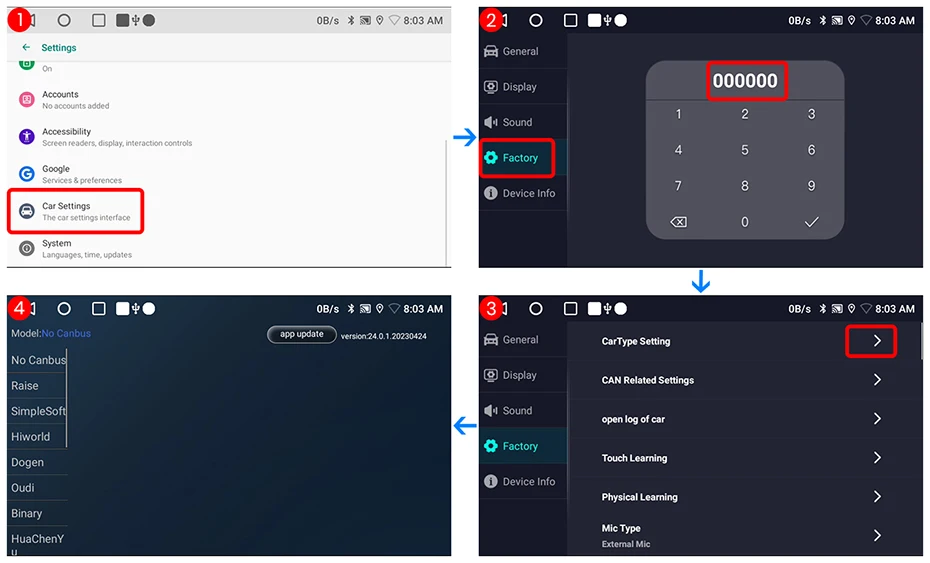
2) There is Canbus in the product, if you buy V1 Plus/V2 Plus 3D, Please do to the picture to enter the CANbus setting and select 117 and save
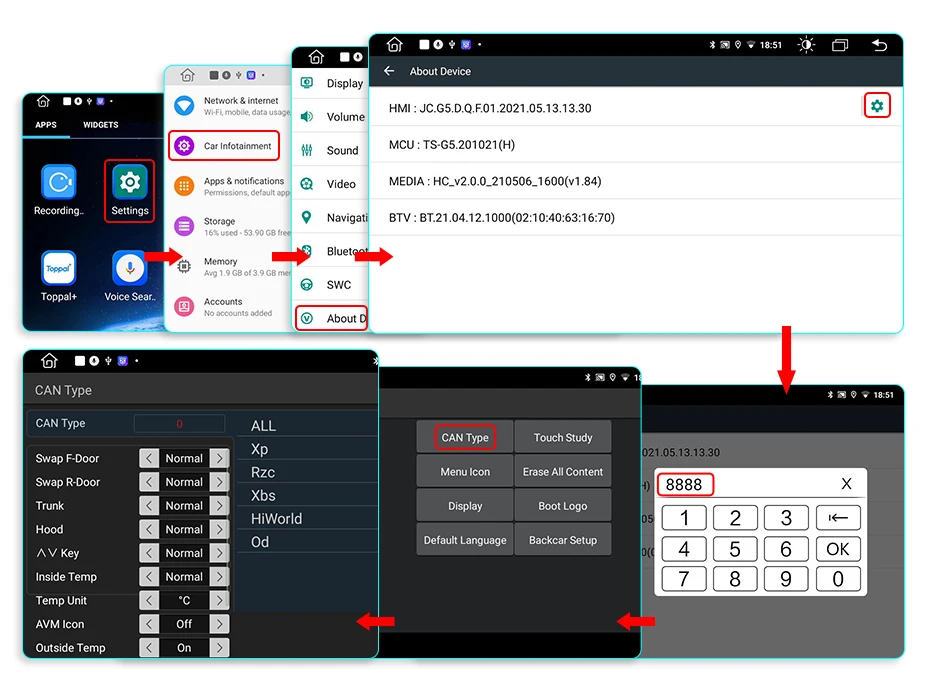
3) If it is still not available after complete the setting, please refuse to the following figure to complete the learning of the steering wheel buttons


3.How to connect wireless Carplay and Android Auto?
For the first connection, need to turn on the phone's Bluetooth to peer with the car's Bluetooth.
After the pairing is successful, the car radio will automatically jump to the ZLink or AutoLink interface
At this time, the phone pop up a prompting message "use CarPlay with Zlink or AutoLink
Then turn on the WiFi of the mobile phone, and the CarPlay will be connected
4.How to connect wired Carplay and Android Auto?
Please use your original data cable to connect the phone to the 4 PIN USB cable, then turn on the Carplay/Android Auto function on your phone and the "AutoLink" or "ZLINK5" icon on the device to connect.
5.How to change the Boot Logo?
Because of copyright, logo cannot be displayed.If need, please contact Customer Service for methods to modified the logo.
6.This is the cable rental diagram for your Reference