Wifi Vibro Bluetooth Speaker Wireless 42w Portable Subwoofer Speaker Bluetooth Neighbor Column Adin Metal Vibration Speakers
S9WIFI-BLACK / Other / Other|China Mainland
€154,69 EUR
Sale price
€154,69 EUR
Regular price
€170,15 EUR
Skip to product information

English, Spanish, French, German, Portuguese, Arabic, Italian, Russian, Japanese, Korean


Wifi Vibro Bluetooth Speaker Wireless 42w Portable Subwoofer Speaker Bluetooth Neighbor Column Adin Metal Vibration Speakers
€154,69 EUR
Sale price
€154,69 EUR
Regular price
€170,15 EUR
SPECIFICATIONS
APP interface languages: English, Spanish, French, German, Portuguese, Arabic, Italian, Russian, Japanese, Korean
Acoustic enclosure: Other
Active Noise-Cancellation: Active
Audio Crossover: Full-Range
Battery: Yes
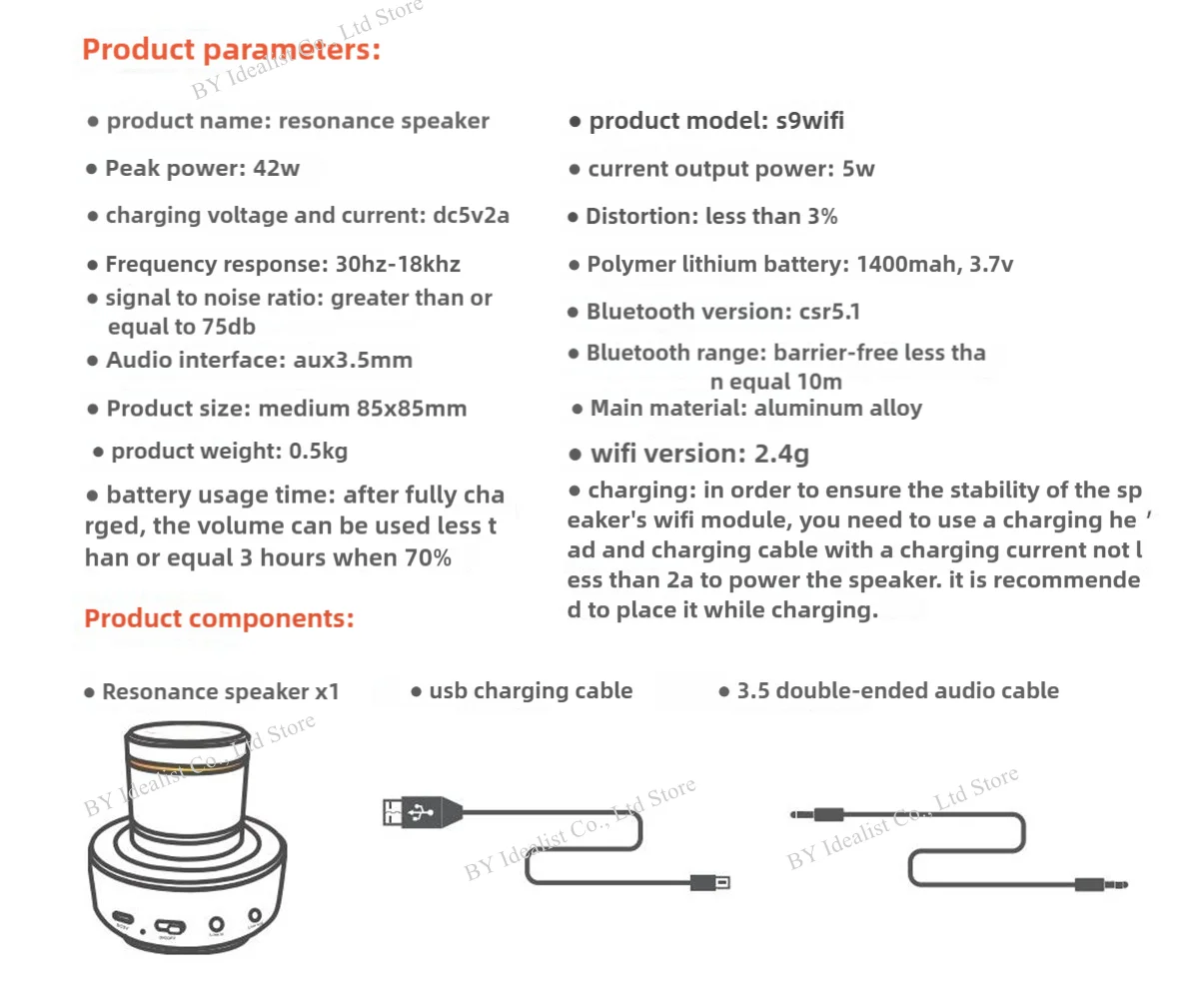
Battery Capacity[mAh]: 1400
Bluetooth Version: 5.0
Brand Name: SENSUNBOM
Built-in Microphone: Yes
Cabinet Material: Metal
Category: Speakers
Certification: CE
Channels: 1
Codecs: Apt-X
Communication: AUX,WiFi,Bluetooth,Audio Line,WireLess
Control: Playback
Control Type: Playback
Depth[mm]: 85
Display Screen: No,Yes
Display screen: No
Feature: Wireless subfoofer
Frequency Range: Other
Height[mm]: 80
High-concerned chemical: None
Impedance: 5-8 Ohm
Inbox adaptor: Yes
Input Power(W): 25-49 W
Input/Output: AUX
Intelligent Personal Assistant: NONE
Material: Metal
Maximum wireless range[m]: <10m
Mid-range material: Other
Number of Loudspeaker Enclosure: 1
Number of devices connectable simultaneously: 3
Origin: Mainland China
Output Voltage: 40 W
PMPO: 40 W
Playback Function: mp3
Power Source: USB,Battery
Remote Control: Yes
Sabwoofer cabinet material: Metal
Screen Size["]: 0
Sensivity: 65
Sound Mode: Extra Bass Mode,Standard Mode
Speaker Type: Portable
Support APP: Yes
Support Apt-x: No
Support Memory Card: No
Total Harmonic Distortion: 2
Touch Screen: no
Tweeter material: Other
Tweeter type: HORN
Use: Home
Voice Control: No
Voltage range: USB (5-20V DC)
Waterproof: No
Weight[g]: 950
Wi-Fi Music: Spotify
Width[mm]: 80
Woofer/Widerange material: Other
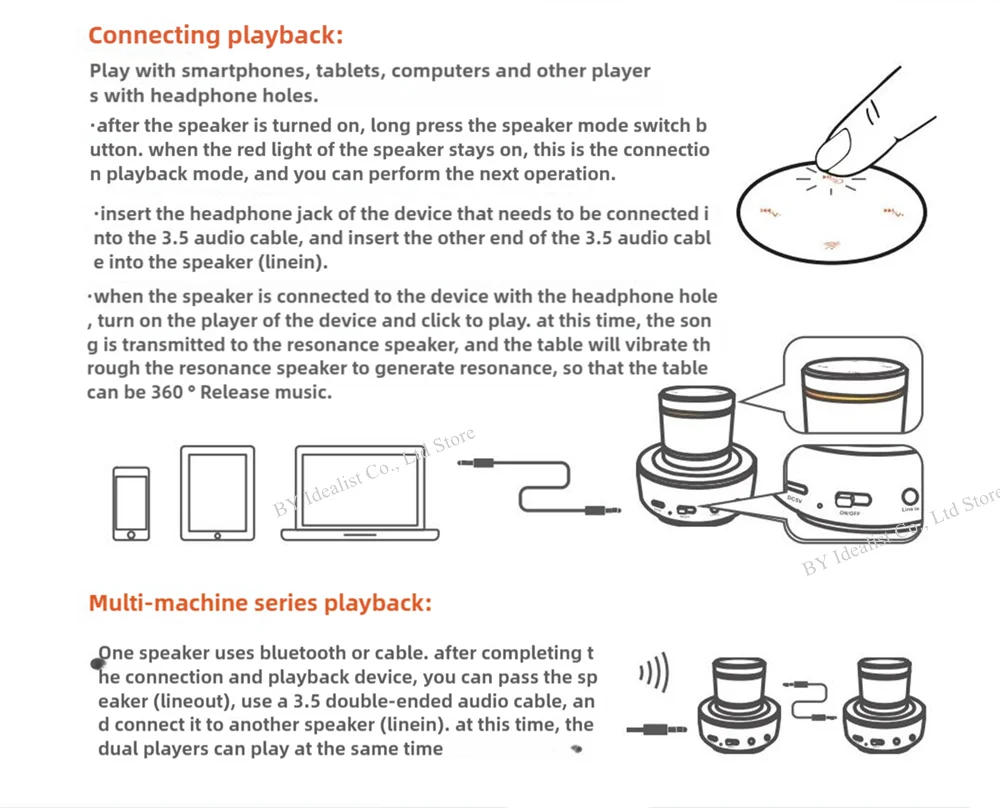
Adin S9 WIFI Vibro Speaker Main Functions:
( Note: S9 Wifi speaker wift only supports 2.4g network )
1-3, Powerful 42w Speaker, WIFI Speaker, APP Remote Control Function
4-6, Bluetooth Speaker, Wireless Speaker, Music Center
7-9, Handsfree Call, Touch Keys, Metal Body, vibro speaker neighbor
10-12, Speaker with microphone, Audio Speaker, Subwoofer Speaker
13-15, Mini Portable Speaker, Outdoor Speaker System, Column Speaker
16-18, Speaker for phone, Bass Bluetooth Speaker, large speaker, Sound Speaker Box
APP interface languages:
English, Spanish, French, German, Portuguese, Arabic, Italian, Russian, Japanese, Korean
-----------------
Parameter
Brand: ADIN speaker
Material: Aluminum
Source: mobile phones, MP3, MP4, tablets, etc.
Charging time: 2-3 hours
Charging Available: Rechargeable lithium battery, USB cable
Channel: 360 HiFi Surround Sound
Material: Aluminum
Dimensions: 85*85*80mm
Playback Formats: WAV, MP3, WMA, APE, FLC
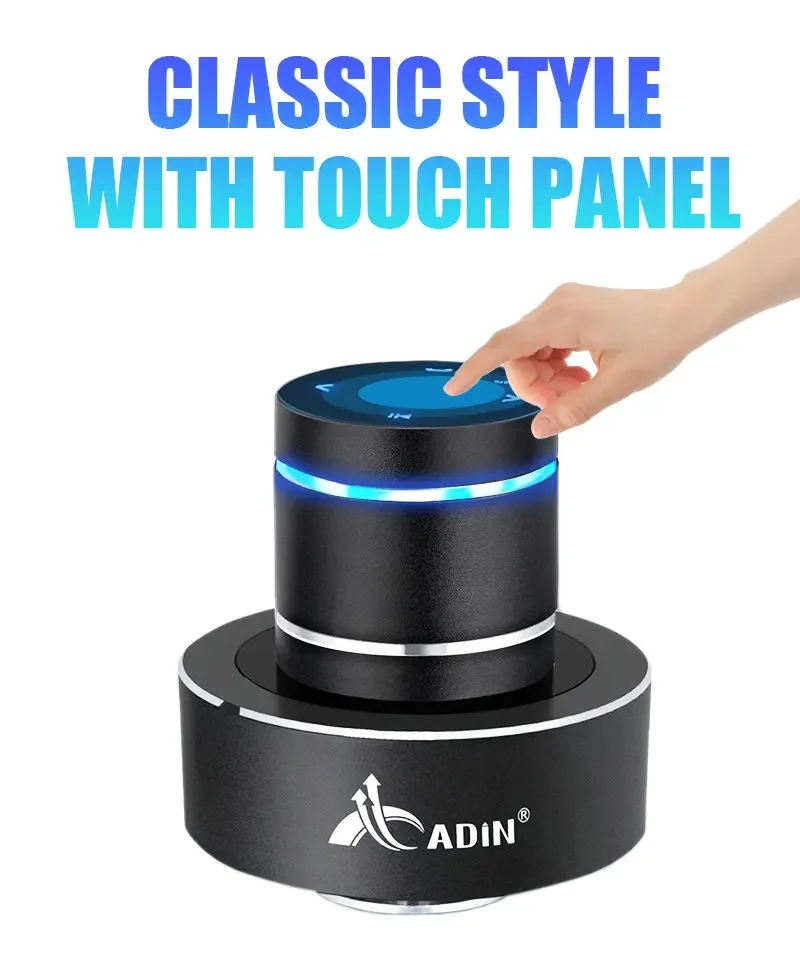
Speakers adjustment: Touch
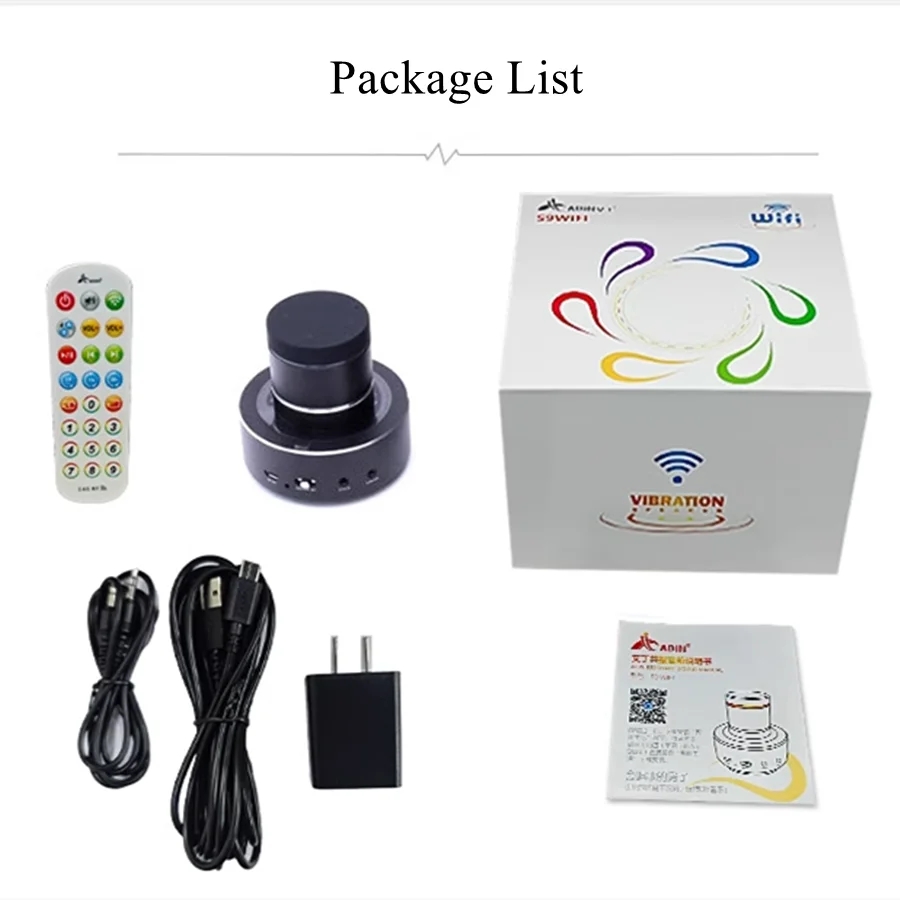
S9 WIFI Package list: ( Package weight: 0.95kg )
1, Adin Wifi Speaker
2. 3A3-meter data charging cable,
3. 1 meter 3.5 interface audio cable,
4. Bluetooth network 10 meter short-range remote control,
5. 2A National Standard Charger
Thank you for your visit. If you need an introduction to the language of your country, please contact me and let me know!
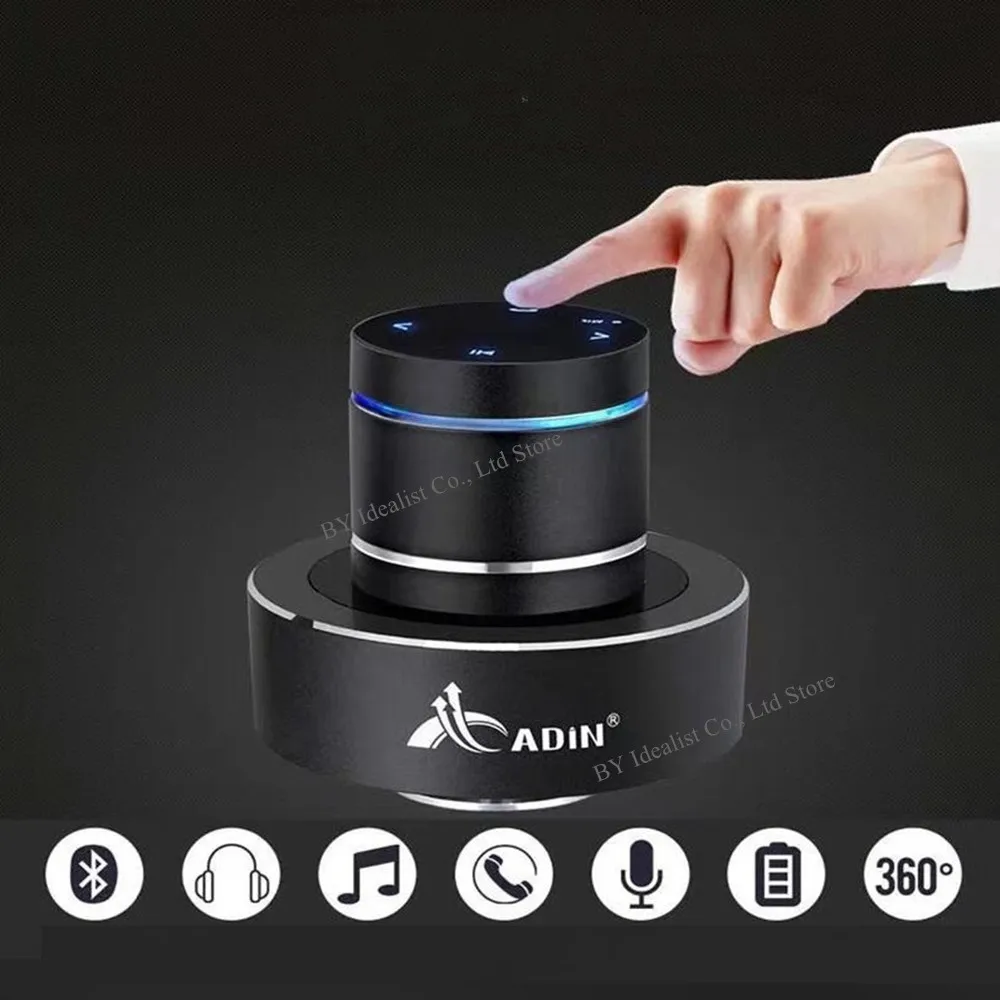
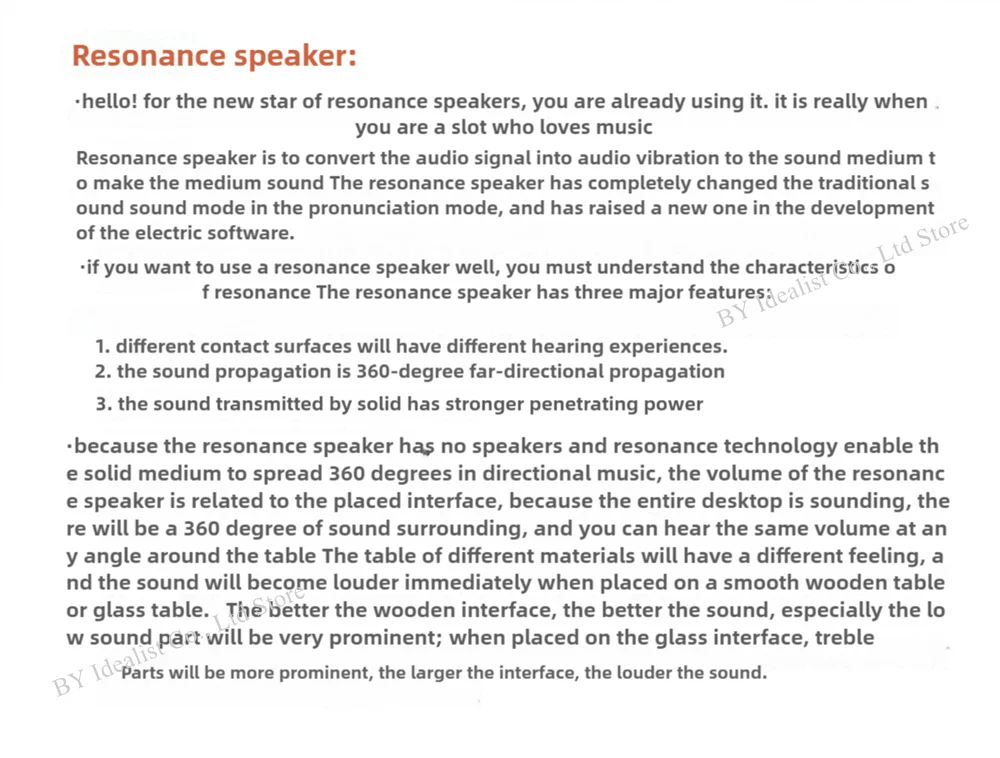
Vibration Principle
Through the resonance medium, the media surface into a super speaker effect, issued 360 degrees without pointing subwoofer, you can make the sound field space in different locations of the audience can hear the HIFI sound effects, different media surface can be issued different The sound quality effect
----------
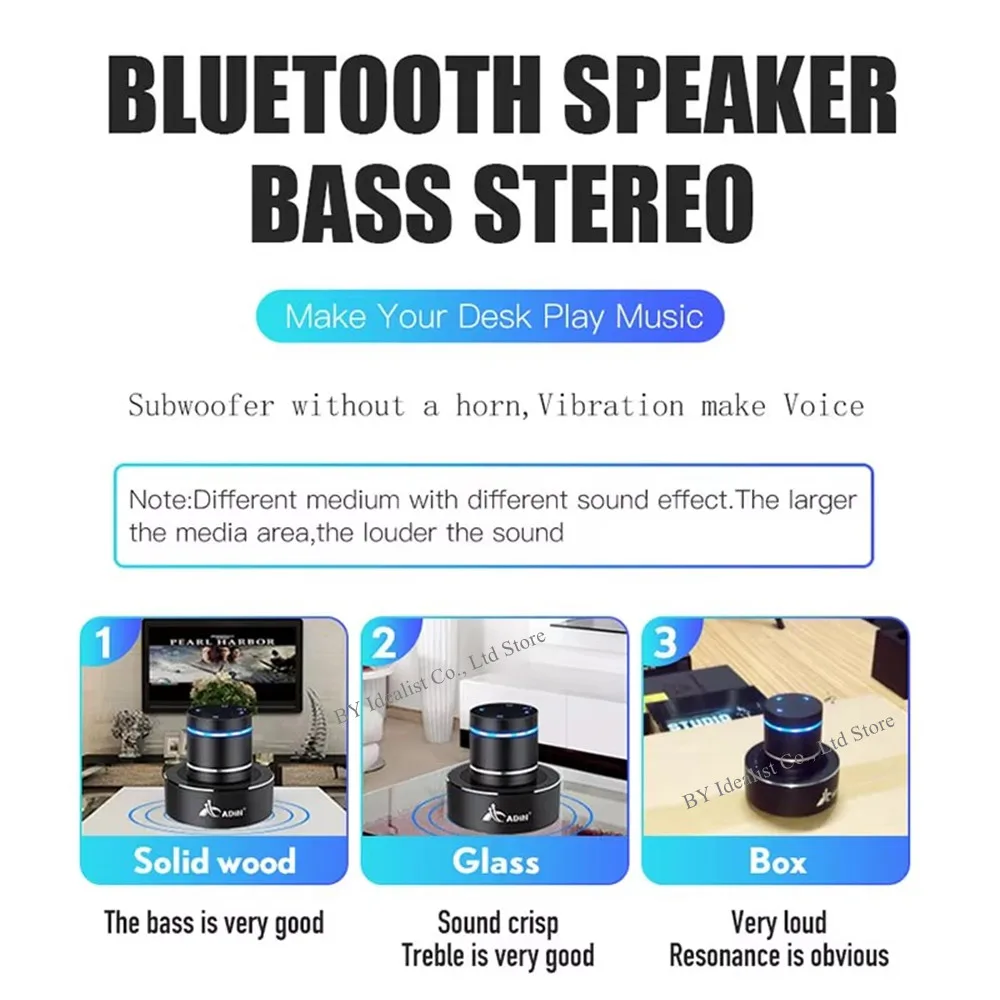
Different Materials Give Different Sound Effect
Feel different rhythm on different materials
Wood: Bass is good, rich and sumptuous mid-sound
Metal: Strong bass sound
Paperboard: The clarity of the sound reduced and it feels like vinyldisc
Glass: Clean and transparend sound
Hollow Wall: Good spacious sound performance
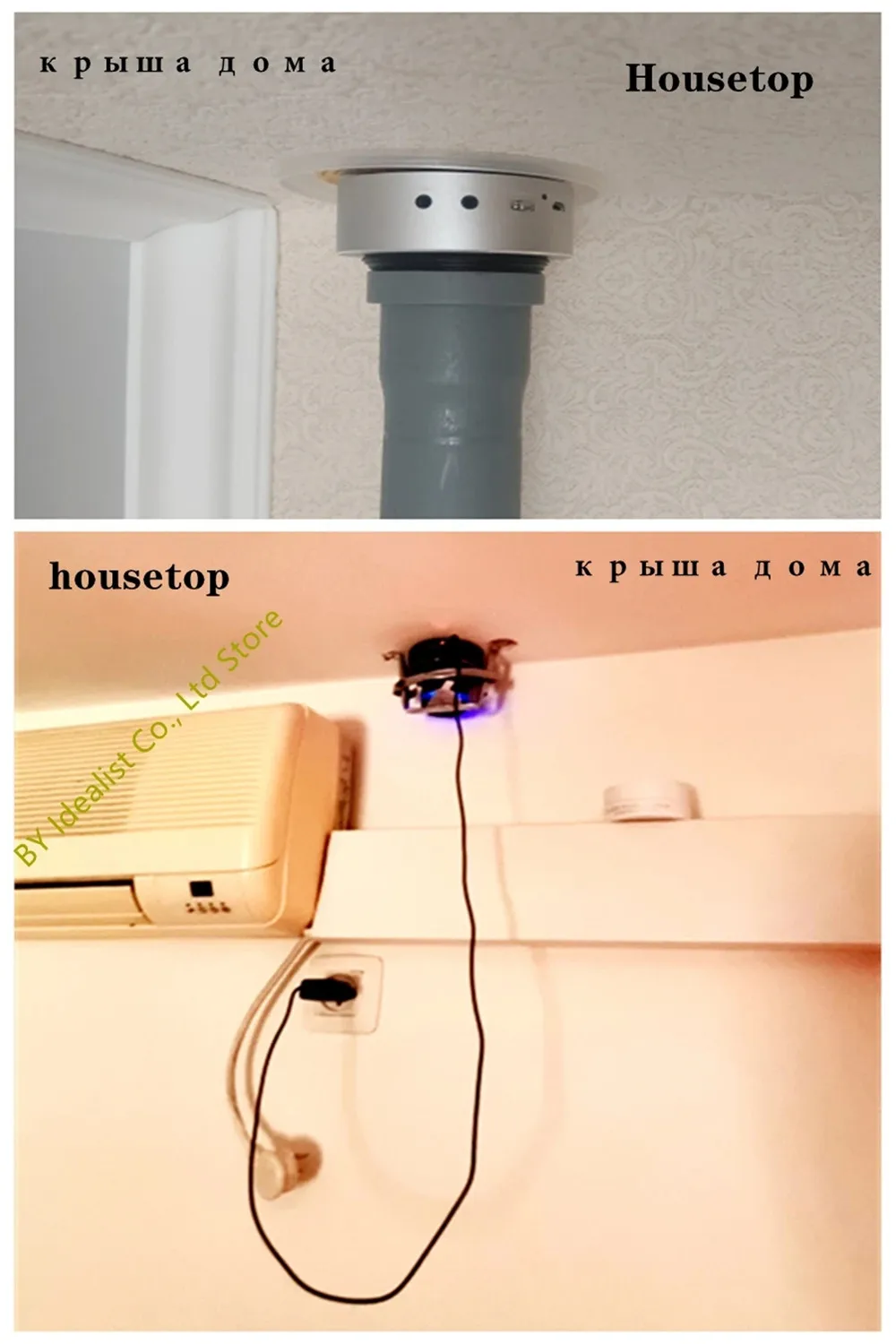
According to the principle of resonance, put the speaker on the roof or wall (as shown in the picture), it can allow the neighbors to hear the sound, so as to avoid evil neighbors!
Note: Different floor or wall thickness, it will have different resonance effect!
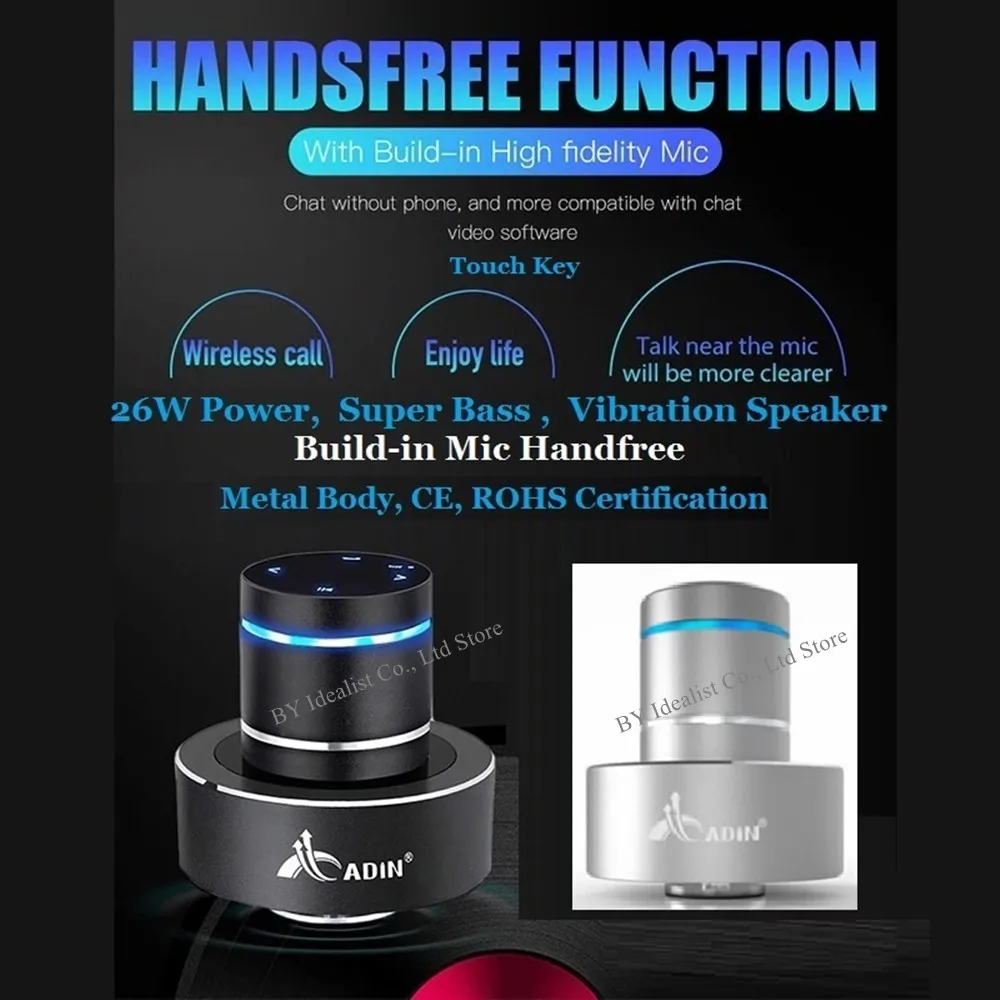
Handsfree Function With Build-in High Fidelity Mic
Chat Without Phone, And More Compatible With Chat Video Software
Touch Key / Wireless Call / Enjoy Life / Talk Near The Mic Will Be More Clearer
Build-in Mic Handfree / Metal Body, CE Certification
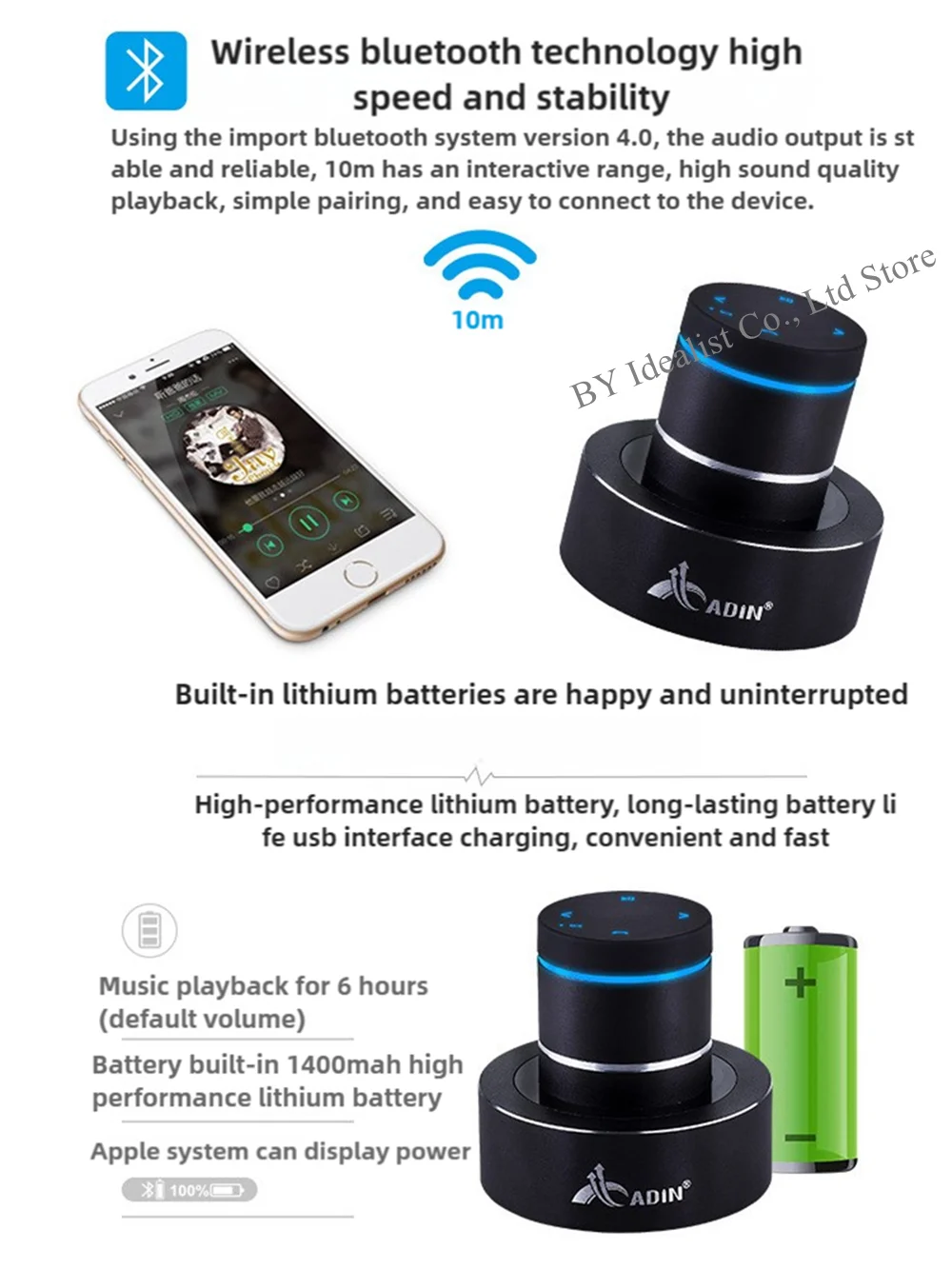
Wireless bluetooth technology high speed and stability
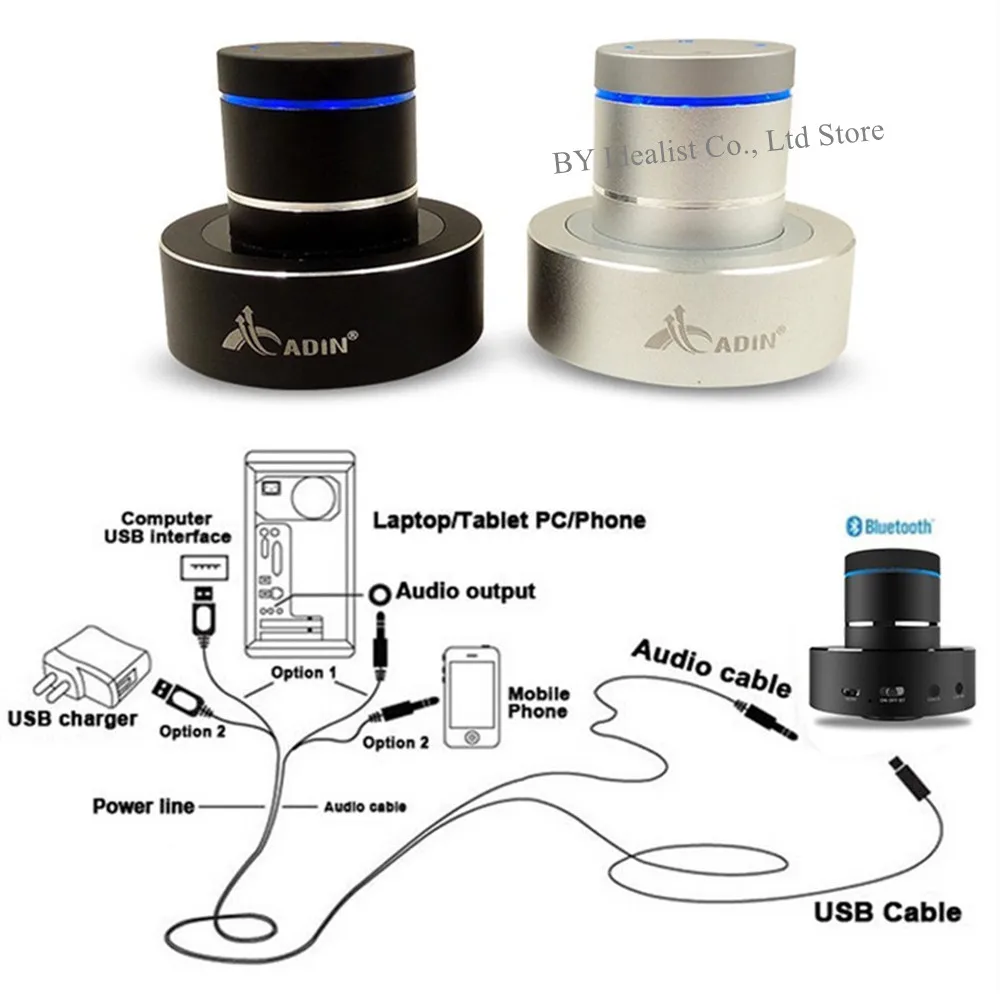
Using the import bluetooth system version 4.0, the audio output is stable and reliable, 10m has an interactive range, high sound quality playback, simple pairing, and easy to connect to the device.
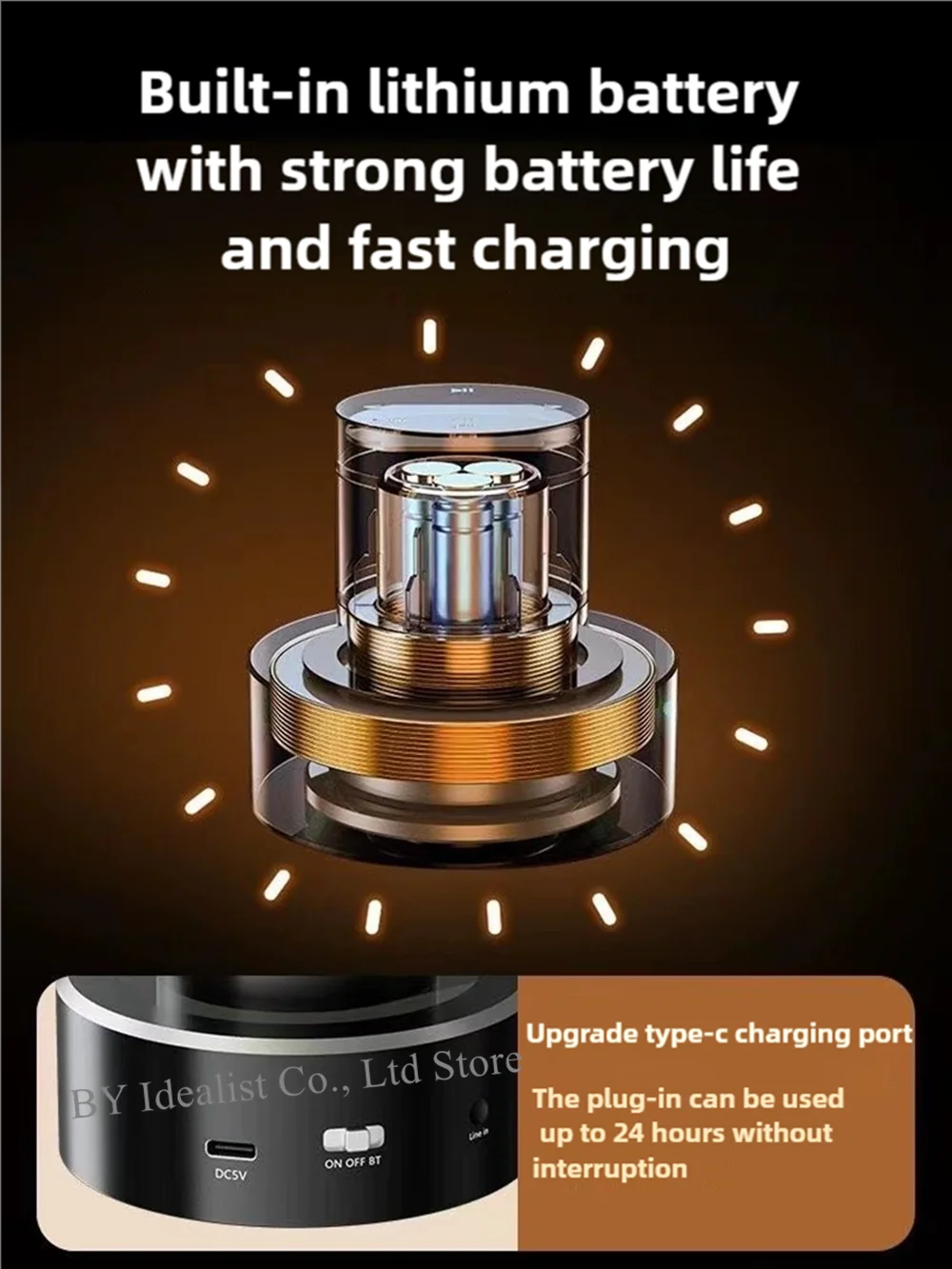
Built-in lithium batteries are happy and uninterrupted
High-performance lithium battery, long-lasting battery life usb interface charging, convenient and fast
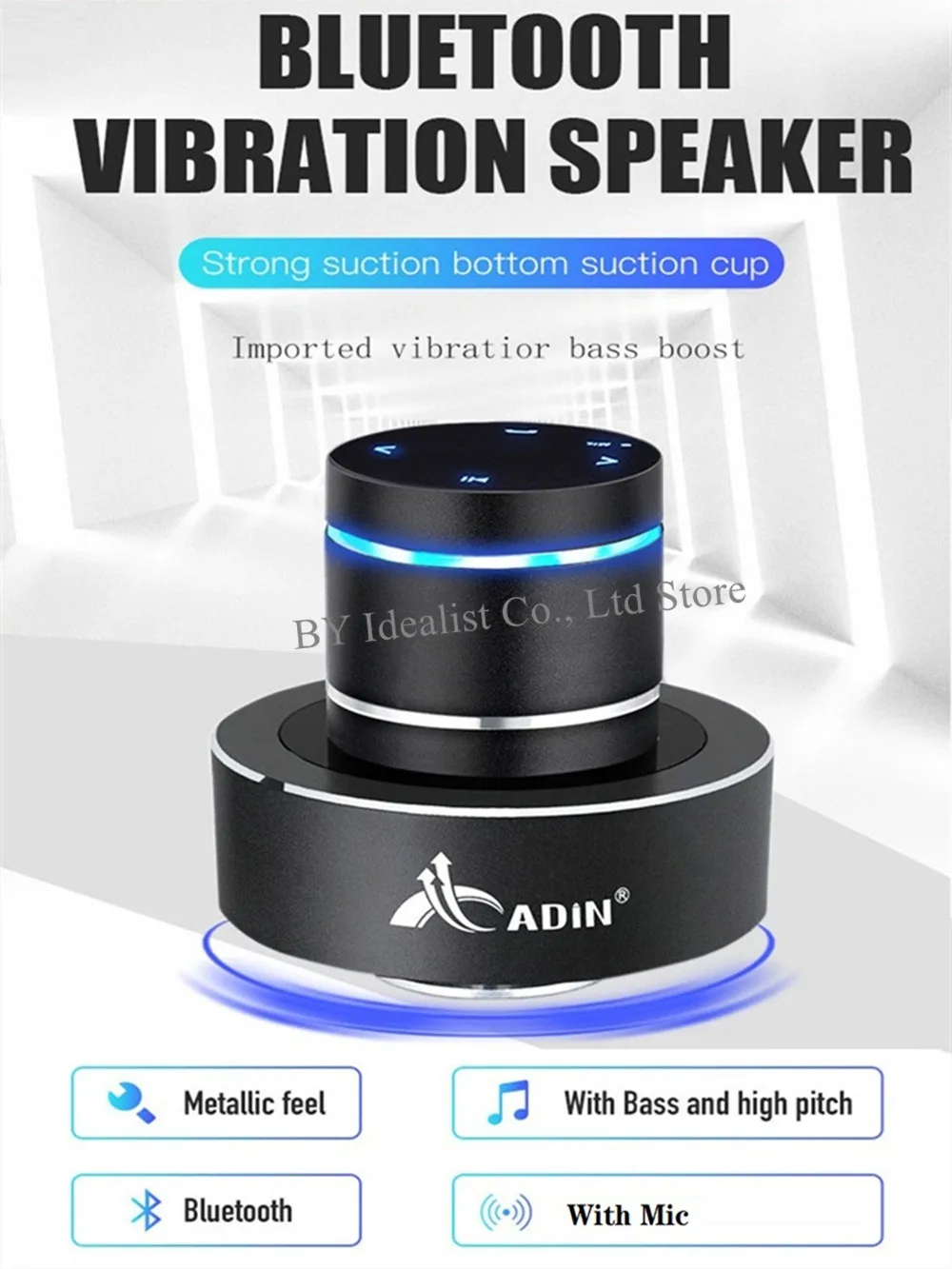
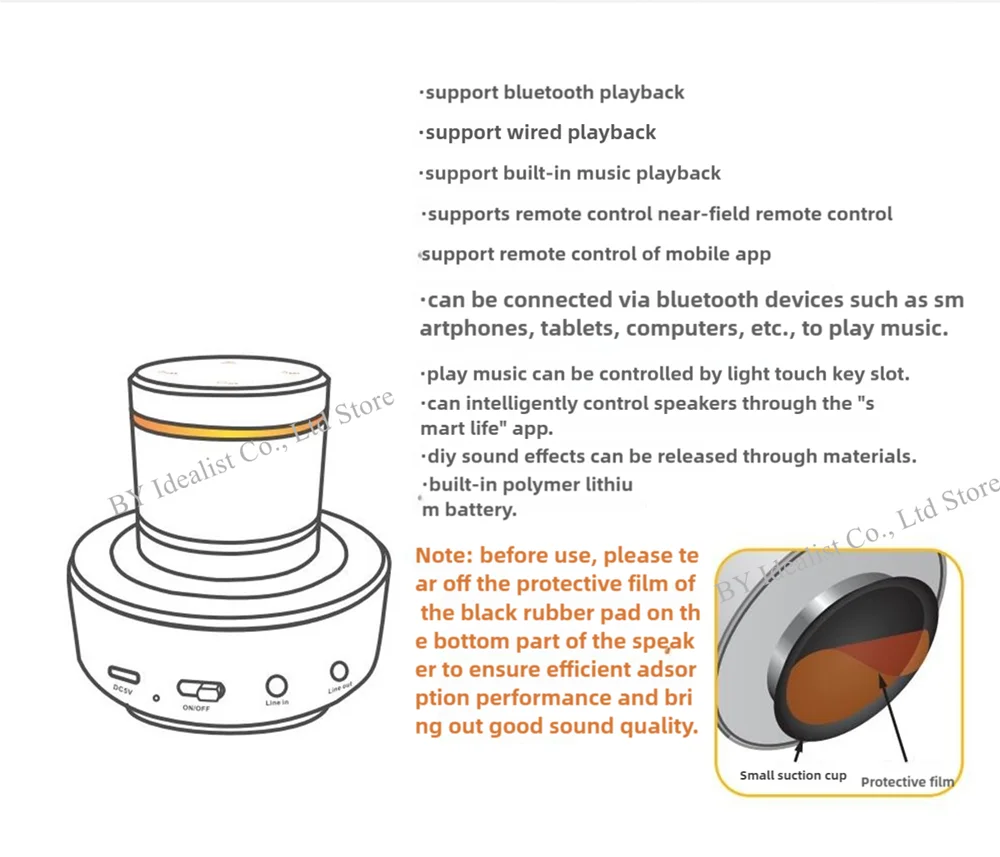
Strong suction botton suction cup Imported vibratior bass boost
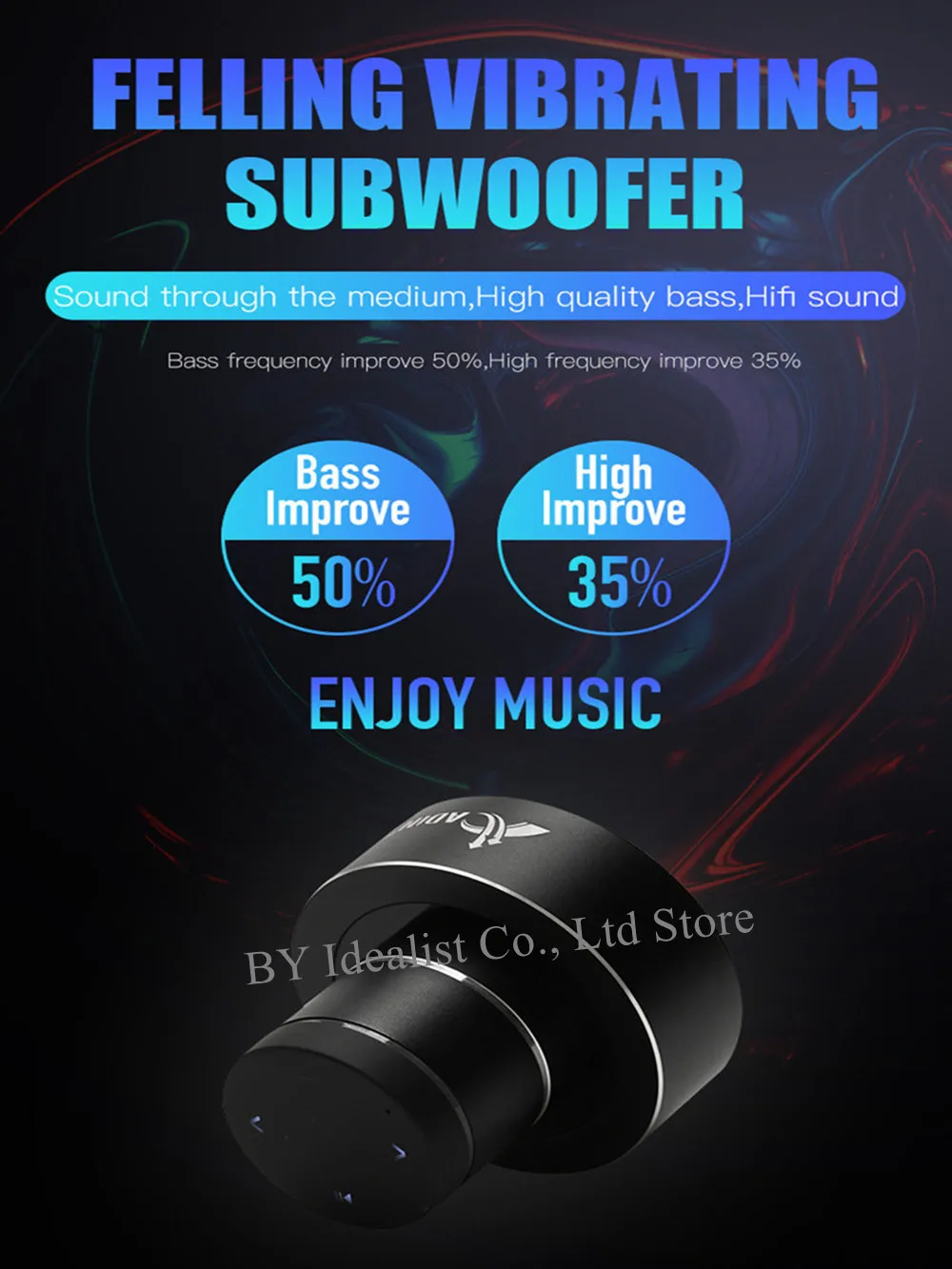
Felling Vibrating Subwoofer Sound through the medium, High quality bass, Hifi sound
Bass frequency improve 50%, High frequency improve 35%
Built-in lithium battery with strong battery life and fast charging
Upgrade type-c charging port
The plug-in can be used up to 24 hours without interruption
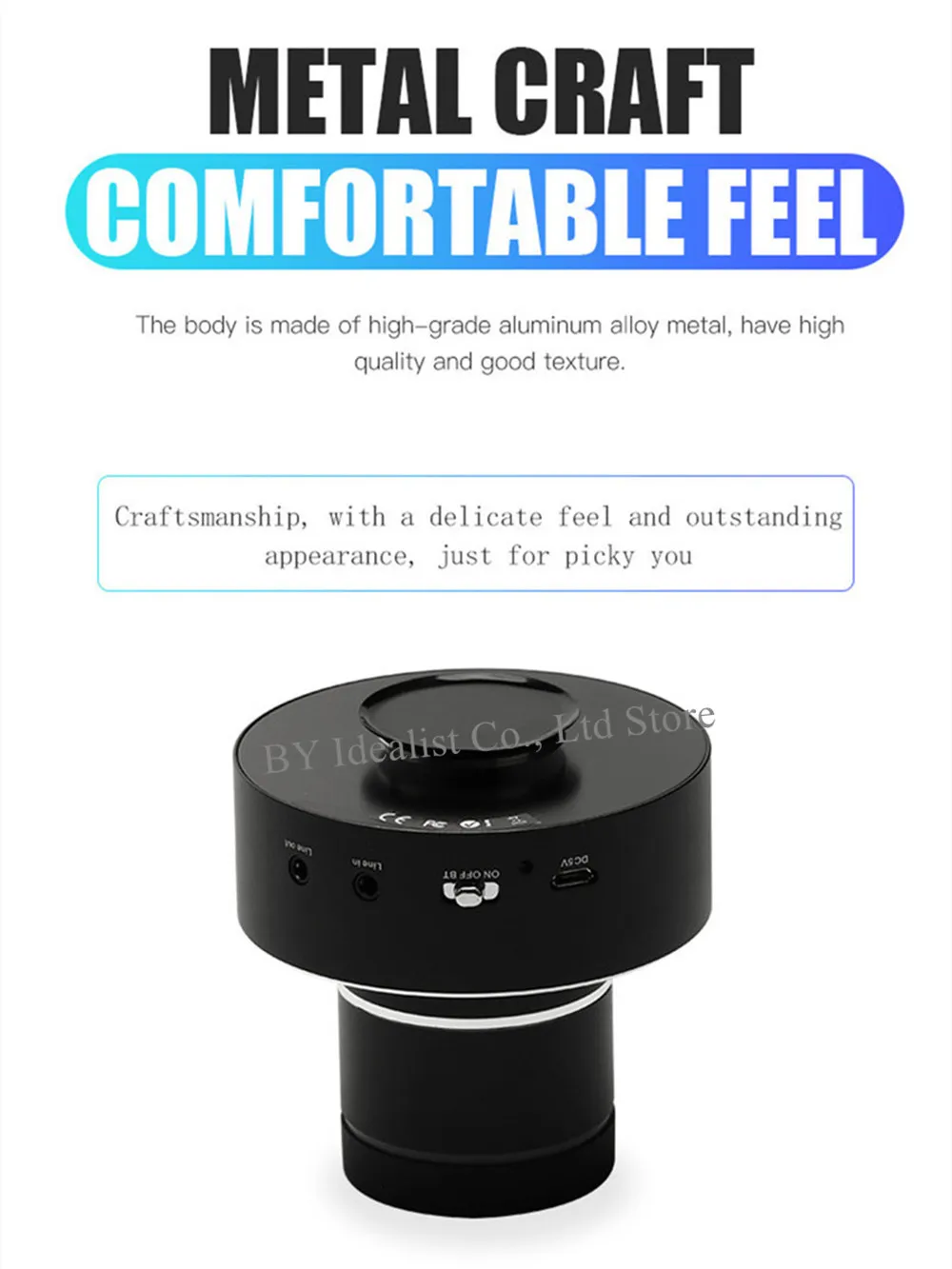
Metal Craft Comfortable Feel
The Body is Made of High-grade Aluminum Alloy Metal, Have High Quality And Good Texture
Craftsmanship, With A Delicate Feel And Outstanding Appearance, Just For Picky You


Please note that the following is the detailed manual for the S9 WIFI Model:
Note: If you don't know how to download and use the app, please contact us and we will teach you how to operate and use it!
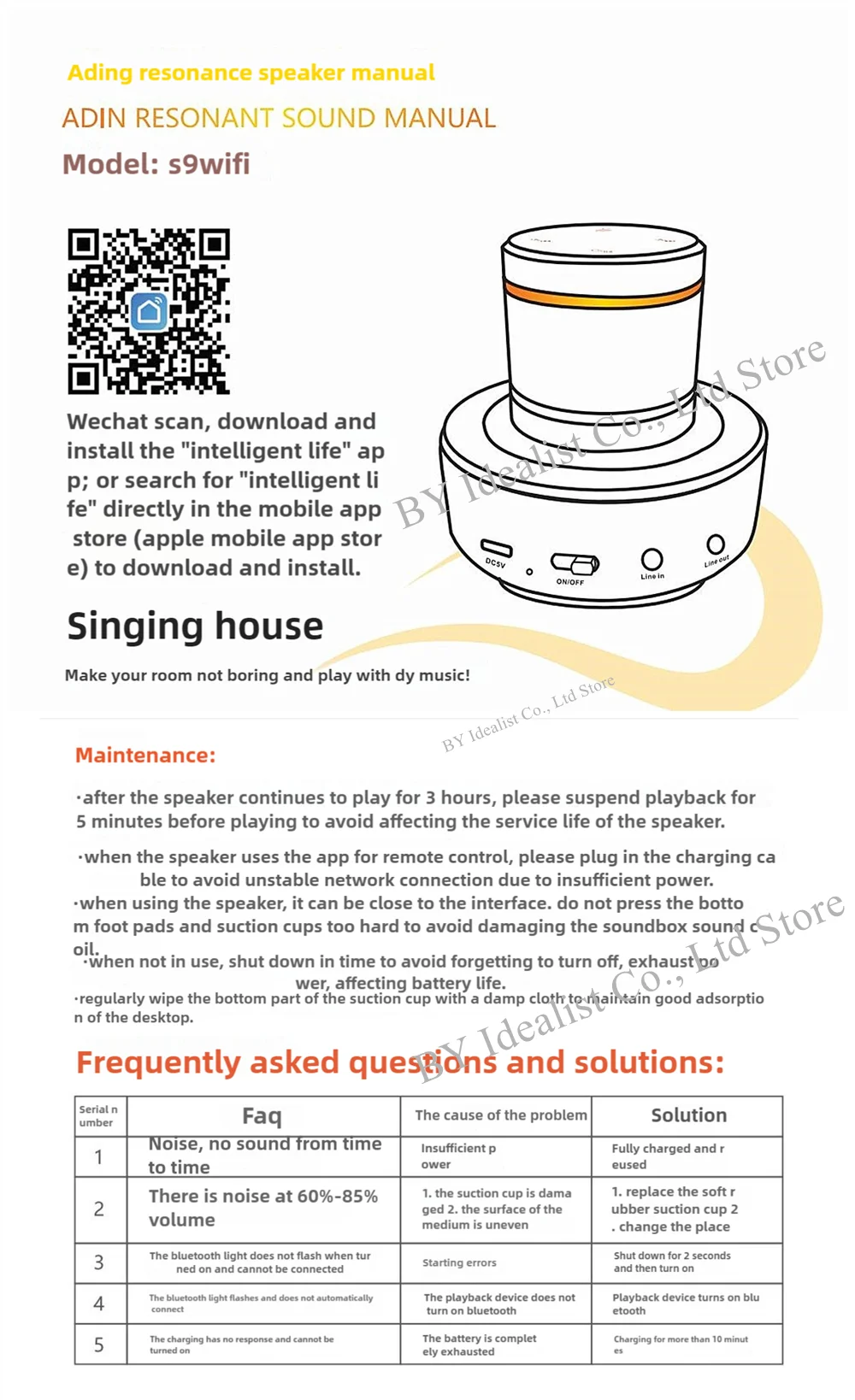
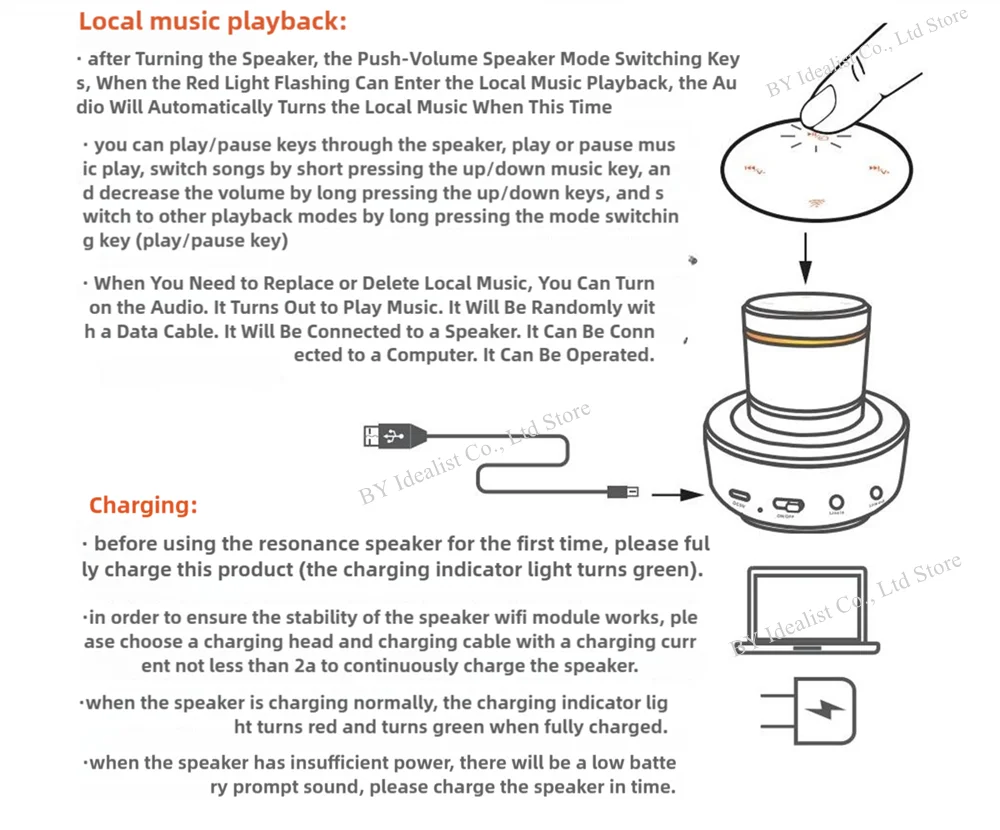
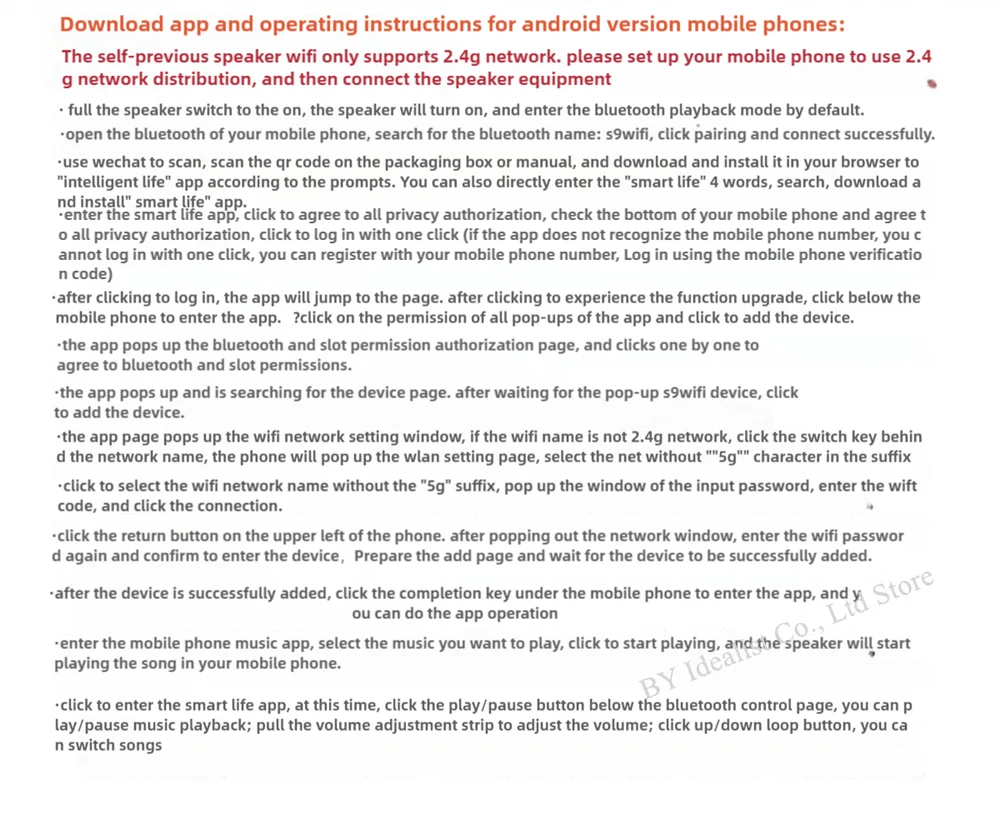
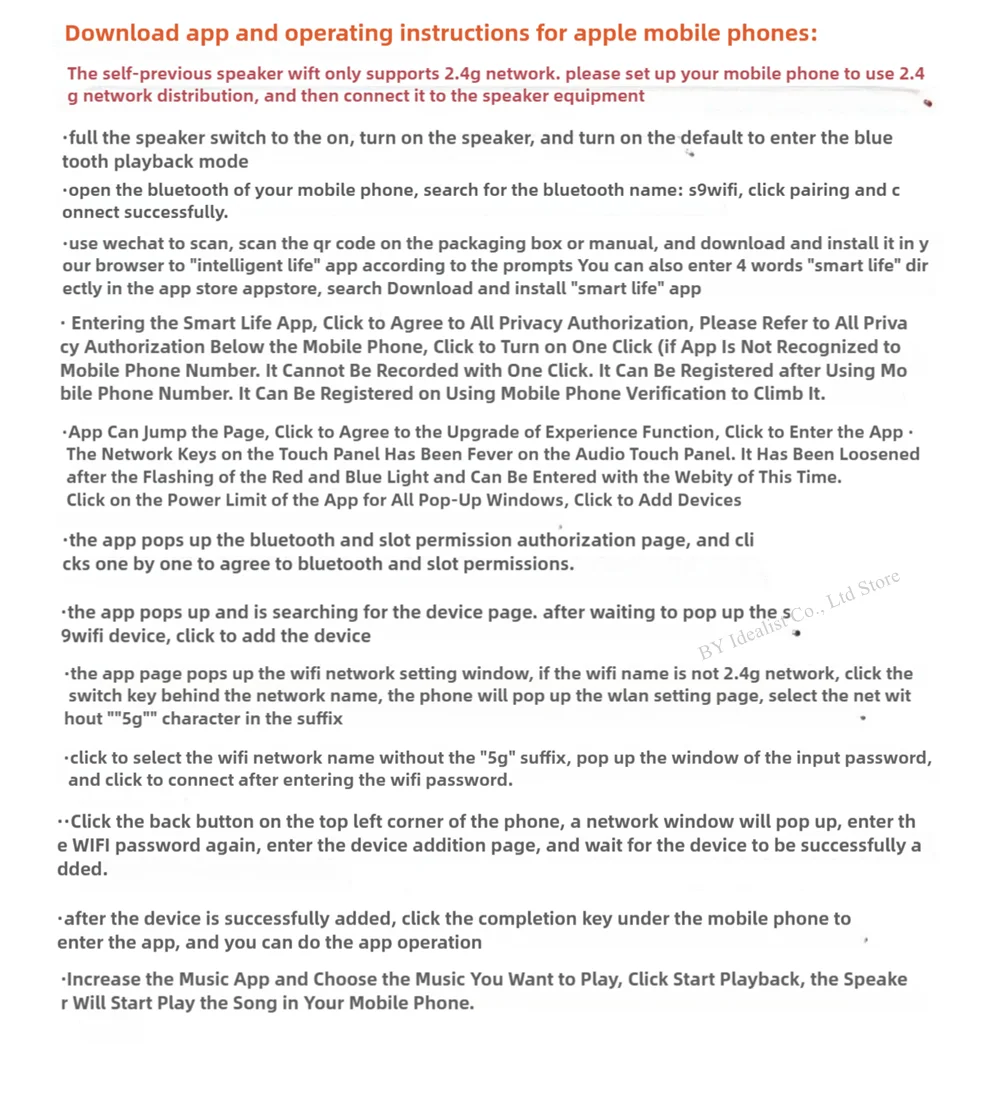
Download app and operating instructions for IOS mobile phones:
The self-previous speaker wift only supports 2.4g network. please set up your mobile phone to use 2.4g network distribution, and then connect it to the speaker equipment
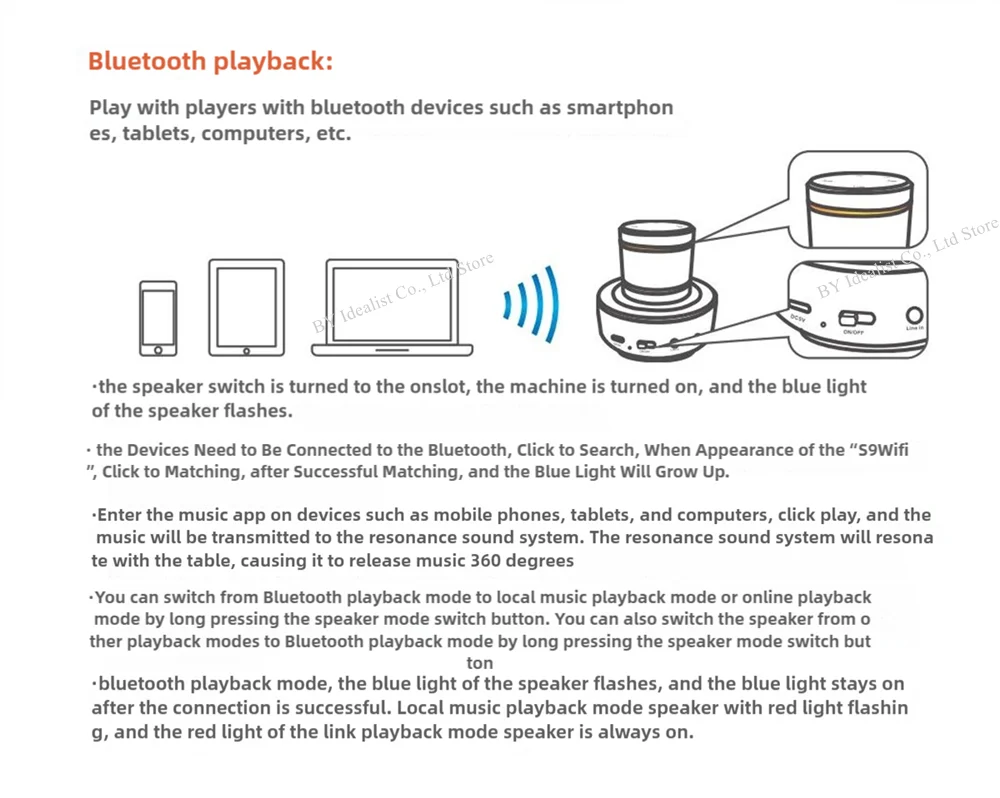
·full the speaker switch to the on, turn on the speaker, and turn on the default to enter the bluetooth playback mode
·open the bluetooth of your mobile phone, search for the bluetooth name: s9wifi, click pairing and connect successfully.
·use wechat to scan, scan the qr code on the packaging box or manual, and download and install it in your browser to "intelligent life" app according to the prompts You can also enter 4 words "smart life" directly in the app store appstore, search Download and install "smart life" app
· Entering the Smart Life App, Click to Agree to All Privacy Authorization, Please Refer to All Privacy Authorization Below the Mobile Phone, Click to Turn on One Click (if App Is Not Recognized to Mobile Phone Number. It Cannot Be Recorded with One Click. It Can Be Registered after Using Mobile Phone Number. It Can Be Registered on Using Mobile Phone Verification to Climb It.
·App Can Jump the Page, Click to Agree to the Upgrade of Experience Function, Click to Enter the App ·
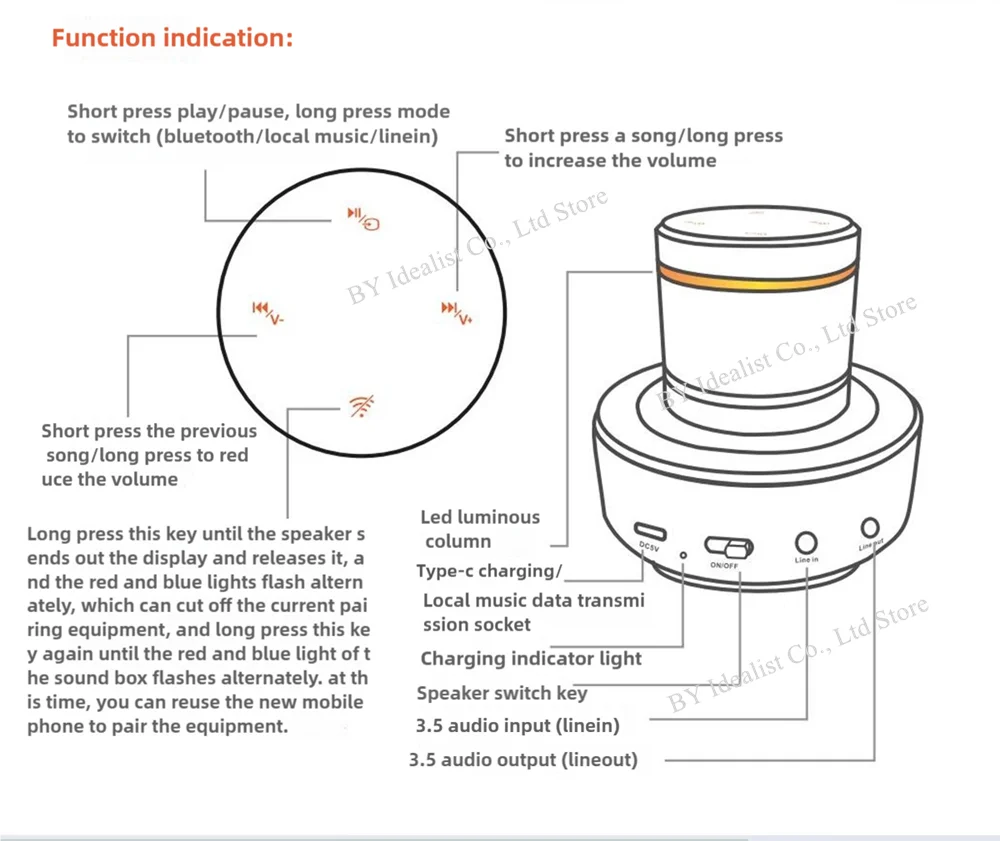
The Network Keys on the Touch Panel Has Been Fever on the Audio Touch Panel. It Has Been Loosened after the Flashing of the Red and Blue Light and Can Be Entered with the Webity of This Time.
Click on the Power Limit of the App for All Pop-Up Windows, Click to Add Devices
·the app pops up the bluetooth and slot permission authorization page, and clicks one by one to agree to bluetooth and slot permissions.
·the app pops up and is searching for the device page. after waiting to pop up the s9wifi device, click to add the device
·the app page pops up the wifi network setting window, if the wifi name is not 2.4g network, click the switch key behind the network name, the phone will pop up the wlan setting page, select the net without ""5g"" character in the suffix
·click to select the wifi network name without the "5g" suffix, pop up the window of the input password, and click to connect after entering the wifi password.
·Click the back button on the top left corner of the phone, a network window will pop up, enter the WIFI password again, enter the device addition page, and wait for the device to be successfully added.
·after the device is successfully added, click the completion key under the mobile phone to enter the app, and you can do the app operation
·Increase the Music App and Choose the Music You Want to Play, Click Start Playback, the Speaker Will Start Play the Song in Your Mobile Phone.
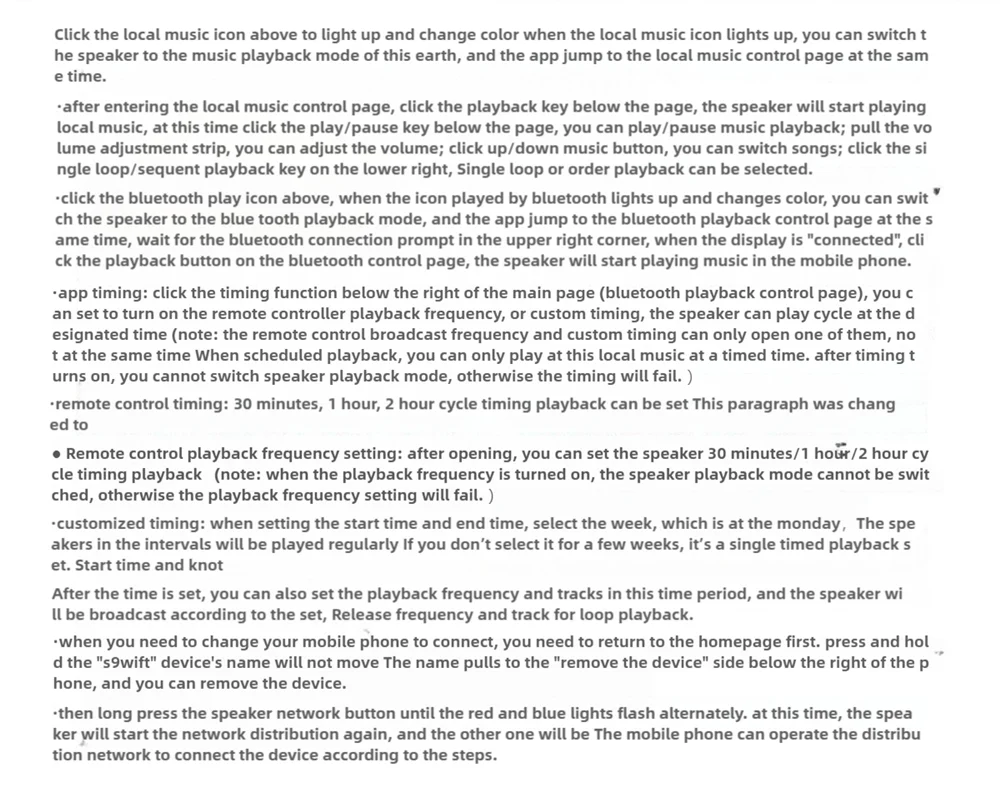
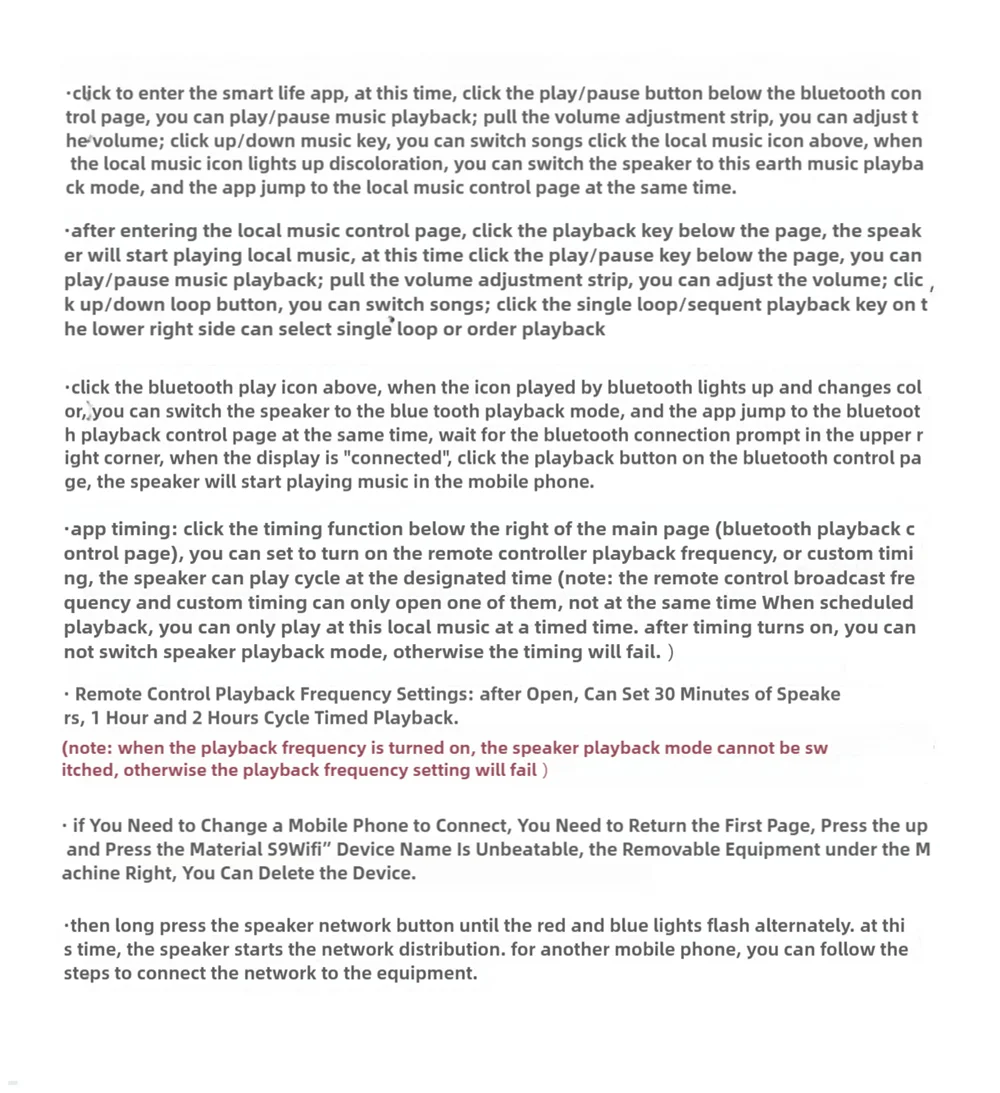
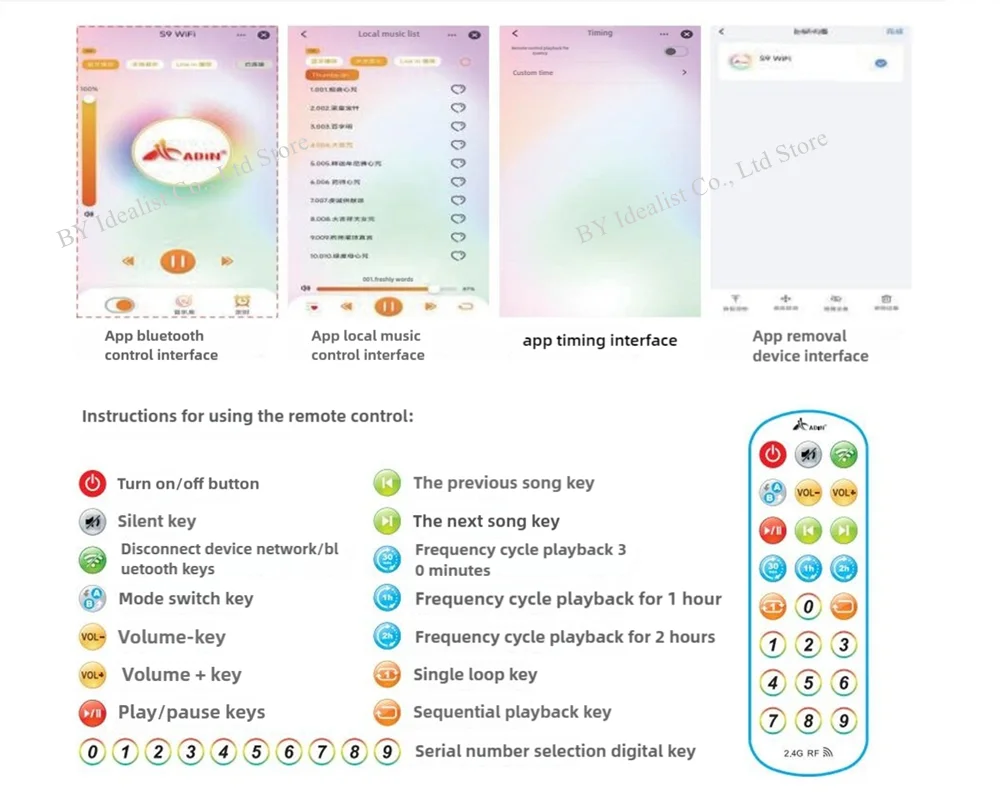
·click to enter the smart life app, at this time, click the play/pause button below the bluetooth control page, you can play/pause music playback; pull the volume adjustment strip, you can adjust the volume; click up/down music key, you can switch songs click the local music icon above, when the local music icon lights up discoloration, you can switch the speaker to this earth music playback mode, and the app jump to the local music control page at the same time.
·after entering the local music control page, click the playback key below the page, the speaker will start playing local music, at this time click the play/pause key below the page, you can play/pause music playback; pull the volume adjustment strip, you can adjust the volume; click up/down loop button, you can switch songs; click the single loop/sequent playback key on the lower right side can select single loop or order playback
·click the bluetooth play icon above, when the icon played by bluetooth lights up and changes color, you can switch the speaker to the blue tooth playback mode, and the app jump to the bluetooth playback control page at the same time, wait for the bluetooth connection prompt in the upper right corner, when the display is "connected", click the playback button on the bluetooth control page, the speaker will start playing music in the mobile phone.
·app timing: click the timing function below the right of the main page (bluetooth playback control page), you can set to turn on the remote controller playback frequency, or custom timing, the speaker can play cycle at the designated time (note: the remote control broadcast frequency and custom timing can only open one of them, not at the same time When scheduled playback, you can only play at this local music at a timed time. after timing turns on, you cannot switch speaker playback mode, otherwise the timing will fail. )
· Remote Control Playback Frequency Settings: after Open, Can Set 30 Minutes of Speakers, 1 Hour and 2 Hours Cycle Timed Playback.
(note: when the playback frequency is turned on, the speaker playback mode cannot be switched, otherwise the playback frequency setting will fail )
· if You Need to Change a Mobile Phone to Connect, You Need to Return the First Page, Press the up and Press the Material S9Wifi” Device Name Is Unbeatable, the Removable Equipment under the Machine Right, You Can Delete the Device.
·then long press the speaker network button until the red and blue lights flash alternately. at this time, the speaker starts the network distribution. for another mobile phone, you can follow the steps to connect the network to the equipment.